Practical solutions

PowerShell Howtos How-To Guides

Solve the problem. Keep building. Collection of Windows powershell how-to articles

Find the answer you need

Browse practical solutions, grouped by the task you're working on.

__COUNT__ entries on this page
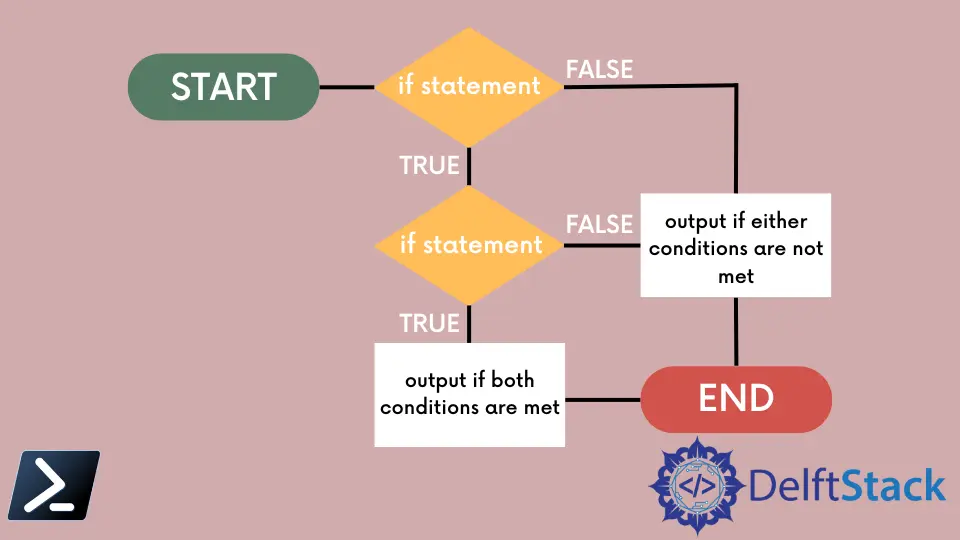
How to Create Tables in PowerShellThis tutorial will introduce different methods to create tables in PowerShell. How to Combine Multiple Conditions in if StatementThis tutorial will teach you to combine multiple conditions in if statement in PowerShell. How to Get a List of All PowerShell ModulesThis tutorial will teach you to get a list of all available modules in PowerShell. How to Select Multiple Patterns in a String Using PowerShellThis article discusses the Select-String command that searches for specific single and multiple string patterns using Windows PowerShell. How to Create and Throw a New Exception in PowerShellThis tutorial will teach you how to create and throw a new exception in PowerShell and combine multiple conditions in an if statement. How to Recursively Set Permissions on Folders Using PowerShellThis tutorial will teach you to recursively set permissions on folders in PowerShell. How to Manage Certificate Stores Using PowerShellThis article will discuss how to query certificates and manage certificate stores using PowerShell. How to Confirm Prompt in PowerShellThis tutorial will teach you to display confirmation prompt in PowerShell. How to Select Attributes in XML Using XPathThis tutorial will introduce different methods for selecting attributes in XML using XPath in PowerShell. How to Write JSON Object to a File in PowerShellThis article shows ways to write JSON objects to a file in PowerShell. How to Get Startup Type of Windows Services Using PowerShellThis tutorial will teach you to get startup type of windows services using PowerShell. How to Combine CSV Files in PowerShellThere can be a requirement to merge several CSV files and write the data into a text file in PowerShell. The Import-Csv and Export-Csv cmdlets can be used to perform this operation. How to Get Service Status From Remote Computer Using PowerShellThe Get-WmiObject is used to connect to a remote host using its -ComputerName parameter. We can pass credentials directly or as a PSCredential object. How to Split Directory Path in PowerShellThis tutorial will teach you to split directory or file path in PowerShell. How to Keep PowerShell Console Open After Script ExecutionThis article will discuss multiple solutions that will keep your PowerShell console open after script execution, including the NoExit parameter. How to Determine if Two Objects Are Identical in PowerShellThis tutorial will teach you to determine if two objects are identical or the same using PowerShell. How to Count the Number of Characters, Words and Lines in PowerShellThis tutorial will teach you to count the number of characters, words and lines in PowerShell. How to Resolve IP Address From Hostname With PowerShellThis tutorial will teach you to resolve IP address from hostname with PowerShell. How to Query for File's Last Write Time in PowerShellThis article will discuss how to fetch the properties of a file, query for its last write time, and perform additional commands to get its date different from the current date. How to Extract the Filename From a Path Using PowerShellThis tutorial will teach you how to extract the filename from a path using PowerShell. How to Log Off Remote Sessions in PowerShellThis article will discuss how we can log off remote users using the command line and Windows PowerShell. How to Filter and Isolate PowerShell ObjectsIn this article, we will talk about Windows PowerShell objects, how to parse the result of the PS Object for the results to be searchable, and perform proper filtering using PowerShell. How to Sending a Mouse Click Event in PowerShellThis article will focus on creating and building the send input structure and calling the send mouse click class in our script. How to Run a Scheduled Task in Task Scheduler Through PowerShell CommandThis tutorial will teach you to start a scheduled task in a task scheduler using the PowerShell command.