How to Convert a String to a Float Value in Python
- Method 1: Using the built-in float() Function
- Method 2: Using Try-Except for Error Handling
- Method 3: Using Regular Expressions for Validation
- Conclusion
- FAQ
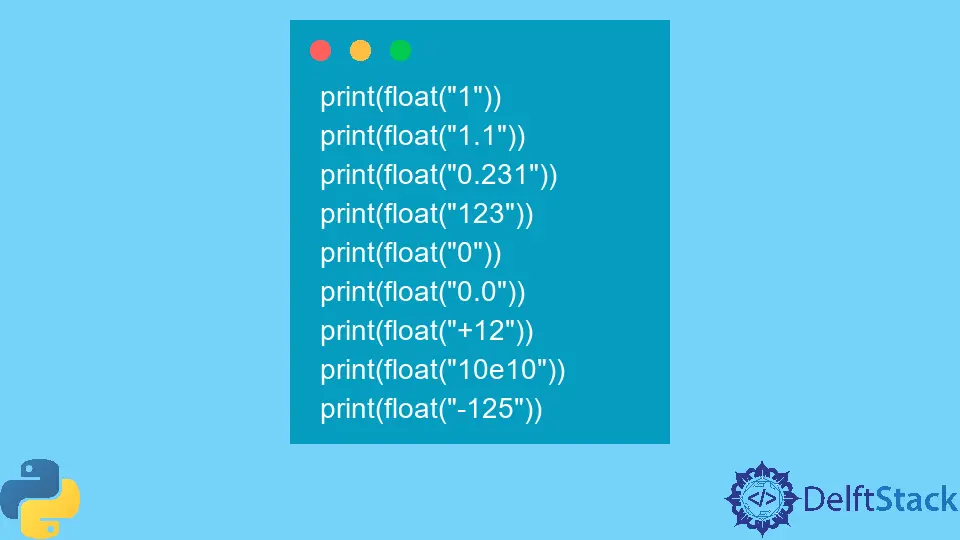
In the world of programming, data types play a crucial role in how we manipulate and analyze information. Python, a versatile and user-friendly language, allows developers to work with various data types seamlessly. One common task you might encounter is converting a string representation of a number into a float value. Understanding how to do this efficiently can save you time and prevent errors in your code. Whether you’re processing user input, reading data from a file, or handling data from an API, knowing how to convert strings to floats is essential.
In this article, we’ll explore different methods to convert a string to a float value in Python. We’ll provide clear examples and detailed explanations for each method, ensuring you have a solid grasp of the topic. So, let’s dive into the world of Python and learn how to make this conversion effortlessly!
Method 1: Using the built-in float() Function
The simplest way to convert a string to a float in Python is by using the built-in float() function. This function takes a string as an argument and returns its float representation. It’s straightforward and works well for most cases, provided the string is a valid number.
Here’s how you can use the float() function:
string_value = "123.45"
float_value = float(string_value)
Output:
123.45
In this example, we define a string variable called string_value containing the number “123.45”. By passing this string to the float() function, we convert it into a float and store it in the variable float_value. If you print float_value, you’ll see that it is now a float type, allowing you to perform mathematical operations seamlessly.
However, it’s essential to ensure that the string you are converting is a valid number format. If the string cannot be converted to a float, Python will raise a ValueError. For example, trying to convert a string like “abc” will result in an error. Therefore, it’s a good practice to handle exceptions when using the float() function.
Method 2: Using Try-Except for Error Handling
When converting strings to floats, you may encounter strings that are not formatted correctly. To handle such cases gracefully, you can use a try-except block. This method allows you to catch exceptions and handle errors without crashing your program.
Here’s an example demonstrating this approach:
string_value = "123.45abc"

try:
    float_value = float(string_value)
    print(float_value)
except ValueError:
    print("Invalid input: cannot convert to float.")
Output:
Invalid input: cannot convert to float.
In this code snippet, we attempt to convert the string “123.45abc” into a float. Since this string is not a valid number, the float() function raises a ValueError. By using the try-except block, we catch this error and print a user-friendly message instead of allowing the program to crash. This method is particularly useful when dealing with user input or data from external sources, where you cannot guarantee the format.
Method 3: Using Regular Expressions for Validation
If you want to ensure that the string is not only convertible to a float but also conforms to a specific format, you can use regular expressions (regex). This method allows you to validate the string before attempting the conversion, providing an additional layer of security.
Here’s how you can use regex for this purpose:
import re

string_value = "123.45"

if re.match(r"^-?\d+(\.\d+)?$", string_value):
    float_value = float(string_value)
    print(float_value)
else:
    print("Invalid input: not a valid float format.")
Output:
123.45
In this example, we import the re module and define a regex pattern that matches valid float representations. The pattern ^-?\d+(\.\d+)?$ checks for optional negative signs, digits, and an optional decimal part. If the string matches the pattern, we proceed to convert it to a float. Otherwise, we print an error message indicating that the input is not valid. This method is particularly useful when you need strict validation before conversion.
Conclusion
Converting a string to a float value in Python is a fundamental skill that can enhance your programming capabilities. Whether you opt for the straightforward float() function, implement error handling with try-except, or validate input using regular expressions, each method has its unique advantages. By mastering these techniques, you can ensure your Python applications handle numerical data efficiently and robustly.
As you continue your journey with Python, remember that understanding data types and conversions is key to writing clean and effective code. Happy coding!
FAQ
-
How do I convert a string with commas to a float?
You can remove the commas using thereplace()method before converting it to a float. For example,float(string_value.replace(",", "")). -
What happens if I try to convert a non-numeric string to a float?
Python will raise aValueError, indicating that the string cannot be converted to a float. -
Can I convert a string representing a negative float?
Yes, thefloat()function can handle strings like “-123.45” and convert them to negative float values. -
Is it necessary to handle exceptions when converting strings to floats?
While not mandatory, it is a good practice to handle exceptions to prevent your program from crashing due to invalid input. -
Can I convert strings in scientific notation to float?
Yes, thefloat()function can convert strings in scientific notation, such as “1.23e4”, to their float equivalents.

Vaibhav is an artificial intelligence and cloud computing stan. He likes to build end-to-end full-stack web and mobile applications. Besides computer science and technology, he loves playing cricket and badminton, going on bike rides, and doodling.
Related Article - Python String
- How to Remove Commas From String in Python
- How to Check a String Is Empty in a Pythonic Way
- How to Convert a String to Variable Name in Python
- How to Remove Whitespace From a String in Python
- How to Extract Numbers From a String in Python
- How to Convert String to Datetime in Python
Related Article - Python Float
- How to Find Maximum Float Value in Python
- How to Fix Float Object Is Not Callable in Python
- How to Check if a String Is a Number in Python
- How to Convert String to Decimal in Python
- How to Convert List to Float in Python