How to Fix Python TypeError: Int Object Is Not Callable
- Understanding the TypeError: Int Object Is Not Callable
- Identifying the Problematic Variable
- Checking for Parentheses Misuse
- Using Debugging Tools
- Conclusion
- FAQ
When programming in Python, encountering errors is part of the journey. One common issue that developers face is the TypeError: int object is not callable. This error can be frustrating, especially for those who are new to Python. The good news is that it usually stems from a simple mistake in your code. In this tutorial, we will explore the causes of this error and provide you with effective solutions to fix it.
Understanding why you receive a TypeError is crucial for your growth as a programmer. This error typically occurs when you attempt to call an integer as if it were a function. It can happen due to variable name conflicts or incorrect syntax. By the end of this article, you will have a clearer understanding of how to identify and resolve this issue in your Python code.
Understanding the TypeError: Int Object Is Not Callable
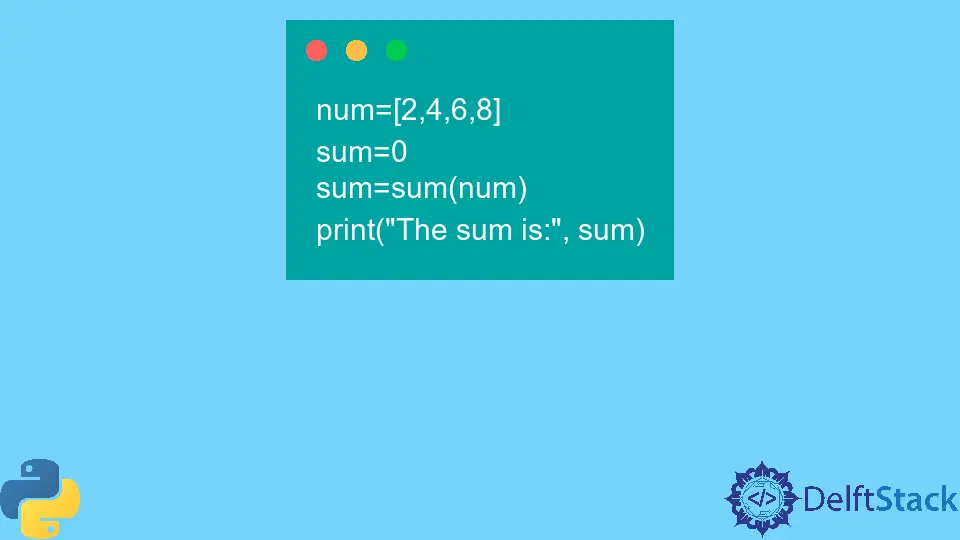
Before diving into solutions, it’s essential to grasp what the TypeError: int object is not callable means. This error indicates that Python is trying to execute an integer as if it were a function. This typically happens when you accidentally overwrite a built-in function or method with an integer variable. For instance, if you have a variable named sum, which is also the name of a built-in function, and you later try to call sum(), Python will raise this error.
To illustrate, consider this example:
sum = 5
result = sum(2, 3)
Output:
TypeError: 'int' object is not callable
In this case, Python is trying to execute the integer 5 as if it were the sum function, leading to the TypeError. Avoiding such naming conflicts is crucial for smooth coding.
Identifying the Problematic Variable
The first step in fixing the TypeError is to identify where the issue lies in your code. Look for any variables that may have the same name as built-in functions. If you find a conflict, you need to rename your variable.
Here’s how you can do this:
sum_value = 5
result = sum(2, 3)
Output:
5
In this example, renaming the variable sum to sum_value resolves the issue. Now, when you call sum(2, 3), Python correctly identifies it as the built-in function, and the output is the expected result of 5.
This method not only fixes the error but also promotes better coding practices by avoiding the reuse of built-in function names.
Checking for Parentheses Misuse
Another common reason for the TypeError: int object is not callable is the misuse of parentheses. Sometimes, developers mistakenly add parentheses to an integer or a variable that holds an integer value, thinking they are invoking a function.
Consider this example:
number = 10
result = number()
Output:
TypeError: 'int' object is not callable
In this case, the variable number is an integer, and attempting to call it with parentheses results in an error. To fix this, simply remove the parentheses:
number = 10
result = number
Output:
10
Now, result correctly holds the value of number, and there is no error. This highlights the importance of understanding when to use parentheses in Python. Parentheses are only necessary when calling functions, not when working with variables.
Using Debugging Tools
If you’re still struggling to identify the source of the TypeError, consider utilizing debugging tools available in your development environment. Tools like pdb (Python Debugger) can help you step through your code line by line, allowing you to see where things go wrong.
Here’s a simple way to use pdb:
import pdb

def faulty_function():
    sum = 5
    pdb.set_trace()
    return sum(2, 3)

faulty_function()
When you run this code, the debugger will pause execution at the pdb.set_trace() line. You can then inspect the variables and step through the code to find the exact point where the TypeError occurs.
Using debugging tools not only helps in fixing errors but also enhances your understanding of how your code executes. This skill is invaluable as you progress in your programming journey.
Conclusion
Encountering the TypeError: int object is not callable can be a stumbling block for both new and experienced Python developers. However, with a clear understanding of the causes and the methods to fix it, you can navigate this error with ease. Remember to check for variable naming conflicts, avoid misuse of parentheses, and utilize debugging tools when necessary. By following these steps, you’ll enhance your coding skills and reduce the likelihood of encountering this error in the future.
FAQ
-
What causes the TypeError: int object is not callable?
This error occurs when you try to call an integer as if it were a function, often due to variable name conflicts or misplaced parentheses. -
How can I avoid naming conflicts in Python?
Use descriptive variable names that do not overlap with built-in function names. This practice helps prevent errors and improves code readability. -
What should I do if I encounter this error in a large codebase?
Use debugging tools likepdbto step through your code and identify the source of the error. This approach can help you pinpoint the exact location of the problem. -
Can this error occur with other data types?
Yes, the TypeError can occur with any data type if you attempt to call it like a function. Always ensure you are calling valid functions. -
Is there a way to catch this error before it happens?
While you cannot prevent all errors, writing unit tests can help identify potential issues in your code before execution.

Related Article - Python Error
- Can Only Concatenate List (Not Int) to List in Python
- How to Fix Value Error Need More Than One Value to Unpack in Python
- How to Fix ValueError Arrays Must All Be the Same Length in Python
- Invalid Syntax in Python
- How to Fix the TypeError: Object of Type 'Int64' Is Not JSON Serializable
- How to Fix the TypeError: 'float' Object Cannot Be Interpreted as an Integer in Python