How to Check if a Set Is a Subset of Another Set in Python
- Understanding Sets in Python
- Method 1: Using the issubset() Method
- Method 2: Using the <= Operator
- Method 3: Using the < Operator
- Method 4: Using the issuperset() Method
- Conclusion
- FAQ
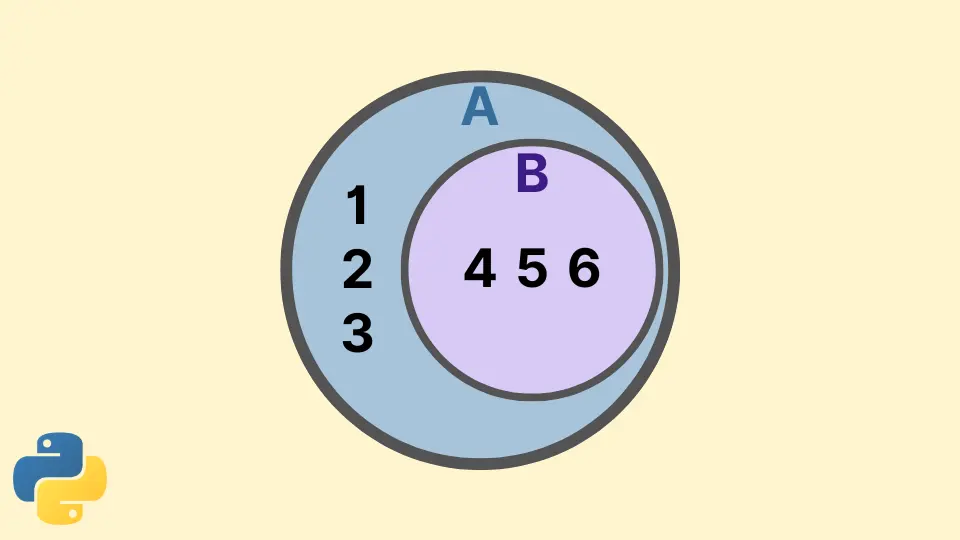
In the world of programming, understanding data structures is crucial for efficient coding. One common data structure in Python is the set, which is an unordered collection of unique elements. When dealing with sets, you might often need to determine if one set is a subset of another. This tutorial will delve into various methods to verify if a set is a subset of another set in Python, providing you with practical examples and clear explanations.
By the end of this guide, you’ll have a solid understanding of how to use Python’s built-in capabilities to check for subsets. Whether you’re a beginner or looking to brush up on your skills, this article will equip you with the knowledge to handle sets effectively in your Python projects.
Understanding Sets in Python
Before we dive into how to check if one set is a subset of another, let’s clarify what a set is in Python. A set is defined using curly braces or the set() function. It automatically handles duplicates, ensuring that all elements are unique. For example:
set_a = {1, 2, 3}
set_b = {1, 2, 3, 4, 5}
In this example, set_a contains three elements, while set_b has five. The next step is to determine if set_a is a subset of set_b.
Method 1: Using the issubset() Method
One of the most straightforward ways to check if a set is a subset of another in Python is by using the issubset() method. This method returns True if all elements of the calling set are contained in the specified set; otherwise, it returns False.
Here’s how you can use it:
set_a = {1, 2, 3}
set_b = {1, 2, 3, 4, 5}

result = set_a.issubset(set_b)
Output:
True
In this example, we have two sets: set_a and set_b. By calling set_a.issubset(set_b), we check if all elements of set_a are present in set_b. Since 1, 2, and 3 are indeed in set_b, the method returns True. This method is not only simple but also very readable, making it a popular choice among Python developers.
Method 2: Using the <= Operator
Another elegant way to check if one set is a subset of another is by using the less than or equal to (<=) operator. This operator provides a clean and intuitive syntax for performing the same check as issubset().
Here’s how it works:
set_a = {1, 2, 3}
set_b = {1, 2, 3, 4, 5}

result = set_a <= set_b
Output:
True
In this snippet, the expression set_a <= set_b evaluates to True for the same reasons as before. This method is not only concise but also very effective. It’s a great option if you prefer a more mathematical approach to set operations. The use of operators can make your code cleaner and more expressive, especially when performing multiple set operations in one line.
Method 3: Using the < Operator
If you want to check for a proper subset, meaning that the first set is a subset of the second but not equal to it, you can use the less than (<) operator. This operator checks if all elements of the first set are in the second set and ensures that the two sets are not identical.
Here’s an example:
set_a = {1, 2}
set_b = {1, 2, 3, 4, 5}

result = set_a < set_b
Output:
True
In this case, set_a is indeed a proper subset of set_b because it contains some, but not all, elements of set_b. The < operator is especially useful when you want to enforce that the subsets are not the same, adding an extra layer of specificity to your checks. This can be particularly helpful in scenarios where equality is not acceptable.
Method 4: Using the issuperset() Method
While this method checks for the opposite condition, it can also be used to determine if one set is a subset of another. The issuperset() method checks if the calling set contains all elements from the specified set. Therefore, you can use it in conjunction with the not operator to achieve the same result.
Here’s how you can implement this:
set_a = {1, 2, 3}
set_b = {1, 2, 3, 4, 5}

result = set_b.issuperset(set_a)
Output:
True
In this example, set_b.issuperset(set_a) checks if set_b contains all elements of set_a. Since it does, the method returns True. This approach is particularly useful if you want to emphasize the perspective of the superset while still determining subset status. It adds flexibility to your coding style and allows for different ways of expressing the same logic.
Conclusion
In conclusion, checking if a set is a subset of another set in Python can be accomplished using various methods, each with its own advantages. Whether you choose to use the issubset() method, the less than or equal to operator, or even the issuperset() method, understanding these techniques will enhance your programming skills and make your code more efficient.
As you continue to work with sets in Python, remember that these methods not only simplify your code but also improve readability. Embrace these techniques, and you’ll find yourself navigating through set operations with ease.
FAQ
-
What is a set in Python?
A set in Python is an unordered collection of unique elements, defined using curly braces or theset()function. -
How do I check if one set is a subset of another?
You can use theissubset()method or the<=operator to check if one set is a subset of another. -
What is the difference between issubset() and < operator?
Theissubset()method checks for subset status, while the<operator checks for proper subsets, meaning the two sets cannot be equal. -
Can I use the issuperset() method to check for subsets?
Yes, you can use theissuperset()method in conjunction with thenotoperator to check if one set is a subset of another. -
Are sets in Python mutable?
No, sets in Python are mutable, meaning you can add or remove elements after the set has been created.

Manav is a IT Professional who has a lot of experience as a core developer in many live projects. He is an avid learner who enjoys learning new things and sharing his findings whenever possible.
LinkedIn