HOWTO · Java
How to Use KeyEvent in JavaFX
This tutorial will show how we can create a key event and execute a simple code when a user presses a key in JavaFX.
On this page
The KeyEvent is used to detect keypress and execute a specific code block when the key is pressed.
This article will show how to create a key event and execute a simple code when a user presses a key. We will also see a simple example to make it easier to understand.
Use KeyEvent in JavaFX
The general format for creating key events is shown below.
scene.setOnKeyPressed(
    (KeyEvent event)
        -> {
            // Create a key event that execute when any key pressed from your keyboard
            //  Add the actions that we are going to take when a key pressed.
        });
We will see an example that will detect the user keypress and show a message that a key was pressed.
The source code of our example will be like below, and we will describe each line by providing the necessary commands. Let’s have a look.
import javafx.application.Application; // Package to create application
import javafx.scene.Scene; // Package to create a scene
import javafx.scene.control.Label; // Package to create a label
import javafx.scene.input.KeyEvent; // Package to create a key event
import javafx.scene.layout.HBox; // Package for the Hbox
import javafx.stage.Stage; // Package to create a stage

public class FxKeyListen extends Application {
  Label lbl; // Declares a label
  HBox _hbox; // Declares a HBox.

  public void start(Stage SimpleStage) throws Exception {
    SimpleStage.setTitle(
        "Detect key event"); // Set the application title which is "Detect key event"
    lbl =
        new Label("No key is pressed !!!"); // Create a label with default text "No key pressed !!!"
    _hbox = new HBox(lbl); // Create a HBox  with a label
    Scene scene = new Scene(_hbox, 400, 400); // Create a scene with HBox and necessary dimentions.

    scene.setOnKeyPressed(
        (KeyEvent event)
            -> { // Create a key event that execute when any key pressed from your keyboard
          lbl.setText("Key press detected !!!"); // The actions that we are going to take when a key
                                                 // pressed. In our case we are changing the label
                                                 // text to "Key press detected !!!"
        });
    SimpleStage.setScene(scene); // Set the scene
    SimpleStage.show(); // Visualize the scent
  }

  public static void main(String[] args) {
    Application.launch(args); // Run our application
  }
}
We already commanded the purpose of each line. Now let’s explain how the code works.
We created a label on our code with the default text of No key pressed !!! by the line lbl = new Label ("No key pressed !!!");. This label aims to show the user that no key is pressed.
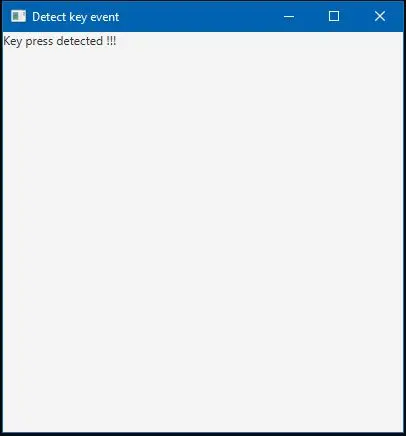
Then we created a simple keypress event as an action that will execute when the user presses a key from his keyboard; we change the label’s default text and set it to Key press detected !!!. So for this purpose, the code adds as action is like lbl.setText("Key press detected !!!");.
Now when you run the code after a successful compilation, a window will open with the title Detect key event, and after you press a key from your keyboard, you will see an output like the one below.
Output:
Remember, if your IDE doesn’t support the automatic inclusion of libraries. Then you may need to include necessary library files manually before compiling.