Practical solutions

Git Howtos How-To Guides

Solve the problem. Keep building. Collection of Git how-to articles

Find the answer you need

Browse practical solutions, grouped by the task you're working on.

__COUNT__ entries on this page
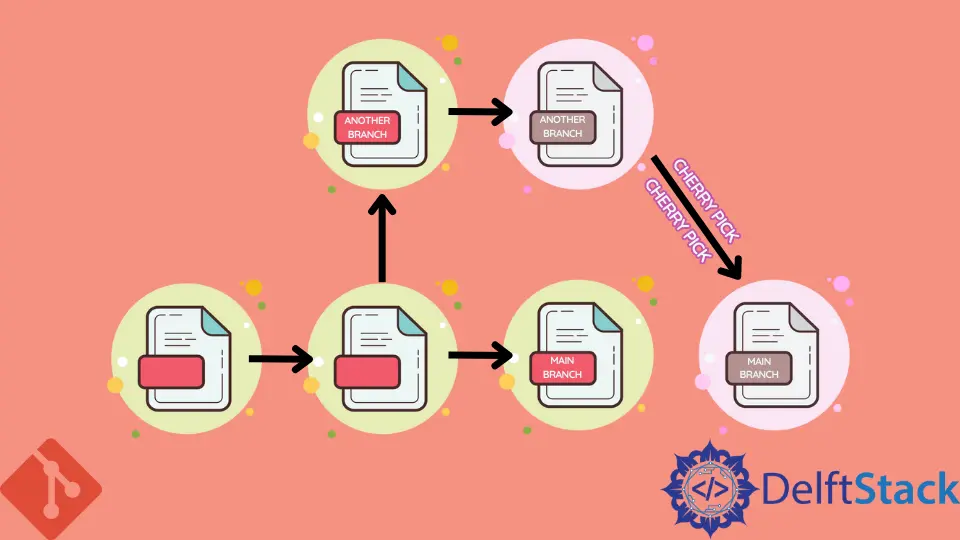
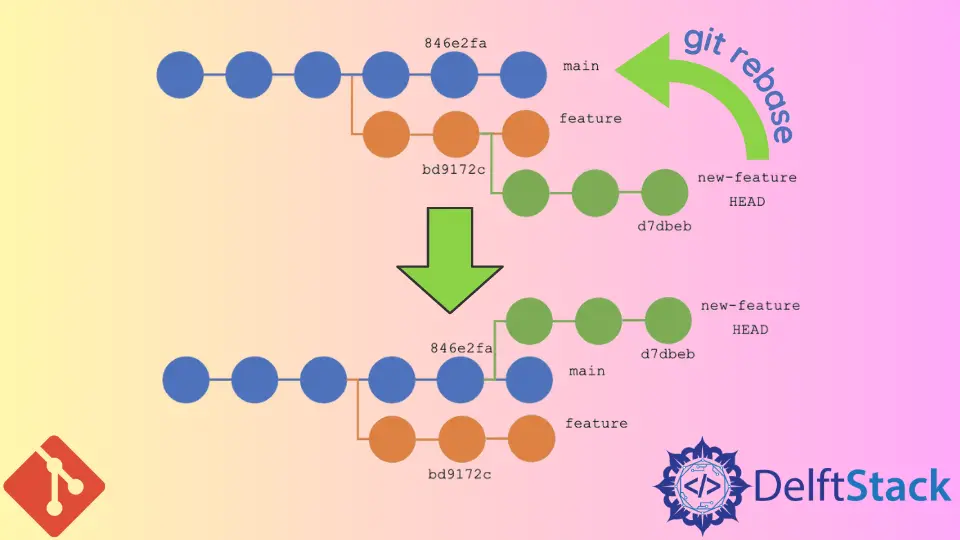
How to Undo a Git StashChoose the right Git stash command to restore saved changes, keep or remove a stash entry, select an older stash, and handle conflicts. How to Show Commit History for One Branch Using Git Log With RangeLearn how Git log revision ranges select commits unique to a branch, how to use HEAD as a range endpoint, limit the list, and exclude commits with ^ or --not. How to Undo the Last Git Commit in a Local RepositoryChoose how git reset handles the changes when undoing a local Git commit. How to Move an Existing Tag in GitMove an existing Git tag to a chosen commit, update the remote tag when appropriate, and fetch a collaborator’s updated tag. How to Remove a Submodule in GitThis tutorial is about removing submodules in Git How to Download a Specific Tag With GitLearn how to download a specific tag with Git by cloning a repository at a specific tag version. This guide covers various methods, including cloning directly at a tag, checking out tags after cloning, and fetching all tags for easy navigation. Perfect for developers looking to work with precise code versions. How to Troubleshoot Git Patch ErrorThis article discusses how to troubleshoot some common errors associated with applying git patches. Learn effective methods to resolve hunk failures, patch compatibility issues, and more. Enhance your Git skills with practical solutions to Git patch errors. Git Stash vs Shelve in IntelliJ IDEACompare Git stash and IntelliJ IDEA shelving, then save and restore changes with the IDE. Difference Between Git Checkout and Git CloneDifferentiate between the git checkout and git clone commands. How to Ignore Local Changes When Pulling From Remote RepositoryIn this article, discover effective methods to ignore local changes when pulling from a remote Git repository. Learn how to stash, reset, or create new branches to manage your local modifications seamlessly. Enhance your Git skills and streamline your workflow with these practical solutions. How to Undo rm in GitLearn how to recover a file removed with git rm, whether the deletion is still staged or has been committed. Choose a safe Git command to restore the intended version from the index or a commit. How to Remove Untracked Files in GitPreview untracked files with git clean, then remove files or directories safely. Learn how -x and -X handle ignored files. Multiple Commits Using Cherry-Pick in GitThis tutorial demonstrates how to do multiple commits using cherry-picking in Git. How to Add Git to PATH on WindowsAdd Git's cmd directory to the PATH through Environment Variables or a persistent PowerShell change so Git runs from any folder, then verify with git --version. How to Create and Use Branches on GitThis tutorial introduces the Git branch. We will see how Git branches can help you organize your project. How to Copy and Paste in Git BashThis article provides a comprehensive guide on how to copy and paste in Git Bash. Explore various methods including using the mouse, keyboard shortcuts, and Git commands to enhance your productivity. Whether you're a beginner or an experienced developer, these techniques will streamline your workflow and help you manage your Git repositories more efficiently. How to Rebase to a Specific Commit in GitUse git rebase --onto to rebase a branch to a specific commit and select which commits move. How to Move Git Branch Pointer to Different CommitMove a checked-out Git branch with git reset, or move another unchecked branch with git branch -f or git update-ref. Learn what each command changes and how to choose a target commit. How to Revert a File to a Previous Commit in GitLearn how to restore a tracked file from a previous Git commit with git restore or git checkout, inspect the result, and decide whether to stage and commit it. How to Pull a Specific Commit From a Git RepositoryChoose the right Git operation to apply, inspect, merge, or reset to a specific commit, with clear commands and safety guidance. Git Push --force-with-lease vs Git Push --forceCompare git push --force and git push --force-with-lease, then choose a safer way to update a remote branch after rewriting history. How to Create Groups and Move Projects in GitLabCreate a GitLab group, choose its visibility, then transfer a project through project settings and confirm its new location. How to Git Push With SSH KeyThis tutorial describes the process of pushing Git files with specific SSH keys to remote servers using the command line. Learn how to set up SSH keys, configure your Git repository, and push changes securely. Perfect for developers looking to streamline their workflow and enhance security. Difference Between Git Push Origin and Git Push Origin MasterThis article outlines the differences between the git push origin and git push origin master commands, providing clarity on their uses in version control. Learn how to effectively manage your Git repository by understanding these essential commands. Enhance your workflow and collaboration with this comprehensive guide tailored for developers at all levels.