Practical solutions

Git Howtos How-To Guides

Solve the problem. Keep building. Collection of Git how-to articles

Find the answer you need

Browse practical solutions, grouped by the task you're working on.

__COUNT__ entries on this page
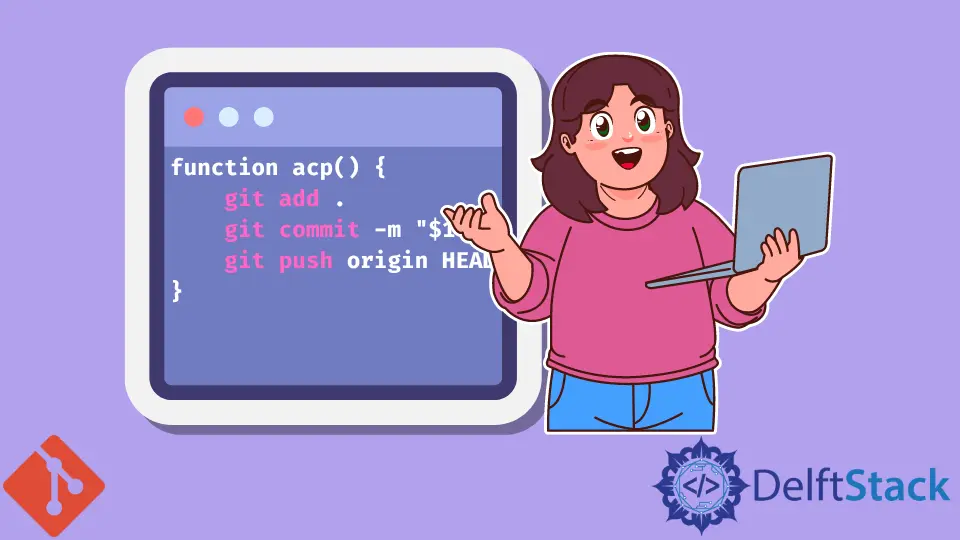
How to git add, git commit, and git push in One CommandYou can add, commit and push files in one command in Git. How to Uninstall Git in WindowsLearn how to uninstall Git from Windows, what may remain afterward, and how to reinstall Git for Windows. How to Clone a Subdirectory of a Git RepositoryUse Git sparse-checkout to select repository directories in your working tree. How to Pull Changes From Another Branch in GitThis tutorial provides a comprehensive guide on how to pull changes from another branch in Git. Learn effective methods like merging, rebasing, and using the pull command to keep your repository updated. Enhance your Git skills and streamline your collaborative workflow with these essential techniques. How to Restore a Reverted Git CommitLearn how to restore a reverted Git commit with our step-by-step guide. Explore methods like git revert, cherry-picking, and resetting to previous commits. This comprehensive article is perfect for developers looking to recover lost changes and manage their Git history effectively. How to Check Out a Remote Git BranchThis article demonstrates how to check out a remote Git branch using the git checkout command. Learn the essential steps, including fetching remote branches and verifying your current branch. Enhance your Git skills and streamline your workflow with this comprehensive guide. Ideal for both beginners and experienced developers looking to improve collaboration in Git. How to Remove Commit From a Branch in GitThis tutorial demonstrates how to remove commits from a branch in Git using various commands. Learn to use git reset, git revert, and git rebase effectively to manage your commit history, whether you're working solo or collaborating with a team. Discover the best practices for maintaining a clean and organized project history with our step-by-step guide. How to Pull All Branches in GitThis tutorial demonstrates how to pull all branches in Git using commands. Learn efficient methods to fetch and merge all branches from your remote repository, ensuring your local environment is always up to date. Discover essential Git commands and best practices for effective branch management. How to Remove Files From a Repository in GitThis tutorial provides a comprehensive guide on how to remove files from a Git repository. Learn various methods, including using the command line to delete single and multiple files, while maintaining a clean and organized project. Perfect for both beginners and experienced developers, this article equips you with the skills needed to manage your Git repository effectively. How to Undo Last Commit in GitThis tutorial demonstrates how to undo the last commit in Git using various commands. Learn the differences between git reset, git revert, and git commit --amend, and discover how to manage your Git history effectively. Whether you need to discard changes or keep a record of your work, this guide provides clear instructions and code examples to help you navigate your Git repository with confidence. Perfect for developers looking to enhance their Git skills. How to Force Pull in GitThis tutorial provides a comprehensive guide on how to force pull changes from a remote repository in Git. Learn effective methods such as using git fetch and reset, git pull with rebase, and deleting local branches. Understand the implications of force pulling and how to manage your codebase efficiently. How to Squash All Commits on a Branch in GitLearn how to squash all commits on a branch in Git and streamline your commit history. This guide covers interactive rebase, reset and commit, and merge with squash options, providing clear examples and explanations. Improve your version control practices and maintain a clean project history with these effective techniques. Fast Forwarding While Merging Branches in GitThis tutorial covers fast-forwarding while merging branches in Git, explaining what it is, when to use it, and how to execute it using simple Git commands. Learn the best practices for maintaining a clean project history and handling conflicts effectively. Perfect for beginners and experienced developers alike, this guide will enhance your Git skills and streamline your workflow. How to Clone a Repository in GitLearn how to clone a repository in Git with this comprehensive tutorial. Discover how to clone specific branches using the Git command line and streamline your development workflow. Perfect for beginners and experienced developers alike, this guide covers essential commands and techniques for effective version control. How to Push Git Tags to Remote RepositoryThis tutorial introduces how to push a tag to the remote repository using Git commands. Learn best practices for tagging and managing your version control effectively. Whether you're pushing a single tag or multiple tags, our step-by-step guide will help you streamline your workflow and keep your repository organized. How to Remove Version Tracking From Folder in GitLearn how to remove version tracking from a folder in Git using the command line. This tutorial covers effective methods like git rm --cached and modifying .gitignore for a clean repository. Perfect for developers looking to manage their version control efficiently. How to Visualize Git RepositoryIn this article, learn how to visualize your Git repository using the git log command. Discover techniques to see the topography of your repository, including commit history, branches, and merges. Enhance your understanding of your project's evolution and improve your workflow with these practical visualization methods. How to Copy Commits From Another Branch in GitThis tutorial demonstrates how to copy or cherry-pick specific commits from one branch to another in Git. Learn effective techniques for managing your commit history, including cherry-picking single or multiple commits and using interactive rebase for greater control. Enhance your Git skills and streamline your development workflow with these essential commands. How to Update Local Branch From Remote in GitThis tutorial demonstrates how to update your local branch from the remote in Git using the command line. Learn various methods including fetch, merge, pull, and rebase to keep your projects synchronized and maintain a clean commit history. Perfect for both beginners and experienced developers, this guide provides clear code examples and detailed explanations for effective version control. How to Overwrite Master With Branch in GitThis tutorial demonstrates how to overwrite the master branch with another feature branch using the Git command line. Learn essential Git commands and techniques, including checkout, reset, and force push, to manage your branches effectively. Ideal for beginners and experienced developers alike, this guide ensures you can confidently handle branch management in your projects. How to Revert Git Repository to a Previous CommitIn this article, we will discuss various methods to revert a Git repository to a previous commit. Learn how to use commands like git revert, git reset, and git checkout effectively. Master these techniques to manage your code efficiently and maintain a clean project history. How to Ignore Untracked Files in GitIn this article, we will explore two effective methods to ignore untracked files in your Git repository. Learn how to use the .gitignore file and the git update-index command to streamline your workflow and keep your Git status clean. Whether you're a beginner or an experienced developer, these techniques will help you manage untracked files efficiently. How to Update a Repository by Setting Up a RemoteLearn how to update a repository by setting up a remote in Git. This guide covers adding a remote, pushing changes, and pulling updates to keep your code synchronized with a central repository. Discover essential commands and best practices for effective Git collaboration. How to Undo Local Changes to a Single File in GitLearn how to undo local changes to a single file in Git with various methods. This guide covers the use of git checkout, git reset, git restore, and more to effectively manage your code changes. Whether you're a beginner or an experienced developer, mastering these techniques will enhance your version control skills and help maintain a clean codebase.