
TUTORIAL
Tkinter Tutorial - Hello World
This Python Tkinter tutorial chapter introduces Tkinter Hello World Example.
On this page
We will start our Tkinter journey with popular Hello World program.
from sys import version_info

if version_info.major == 2:
    import Tkinter as tk
else:
    import tkinter as tk

app = tk.Tk()
app.title("Hello World")
app.mainloop()
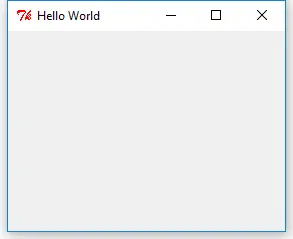
The window will be like this:
Attention
The name of Tkinter module has changed from
Tkinter in Python 2 to tkinter in Python 3. Therefore if you want to write Python 2 and 3 compatible Tkinter codes, you need to check the Python major version number before importing Tkinter.For Python 2
import Tkinter as tk
For Python 3
import tkinter as tk
In the next line
app = tk.Tk()
The app window that is a main window could have other widgets like labels, buttons, and canvas in itself. It is the parent window of all its widgets.
app.title("Hello World")
It names the main window as Hello World.
app.mainloop()
After window instance is created, mainloop() should be called to let window enter the endless loop, otherwise nothing will show up.
