Practical solutions

Matlab Howtos How-To Guides

Solve the problem. Keep building. Collection of Matlab how-to articles

Find the answer you need

Browse practical solutions, grouped by the task you're working on.

__COUNT__ entries on this page
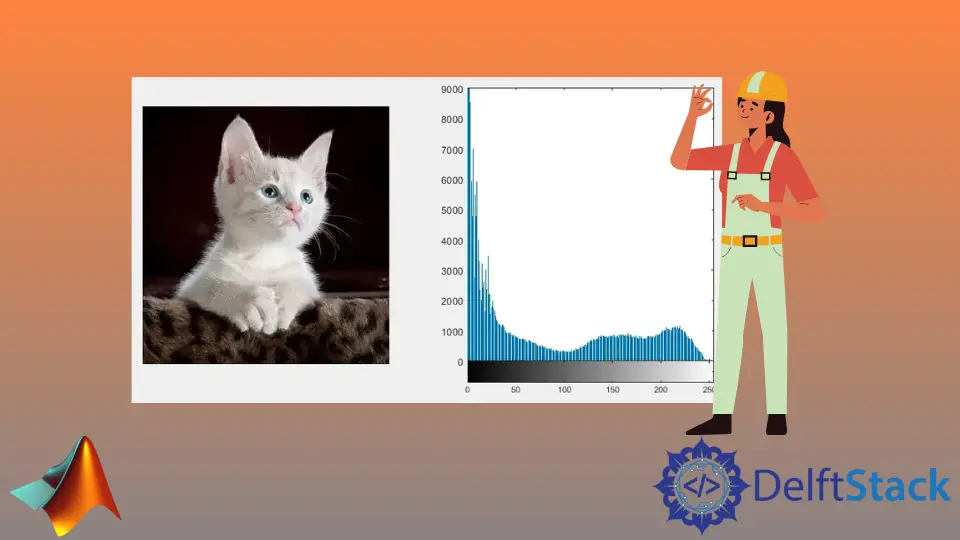
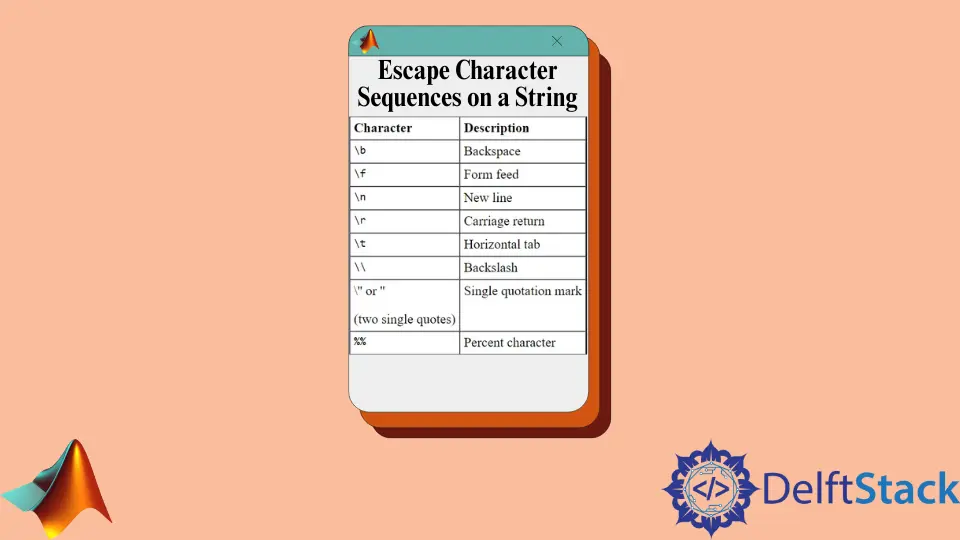
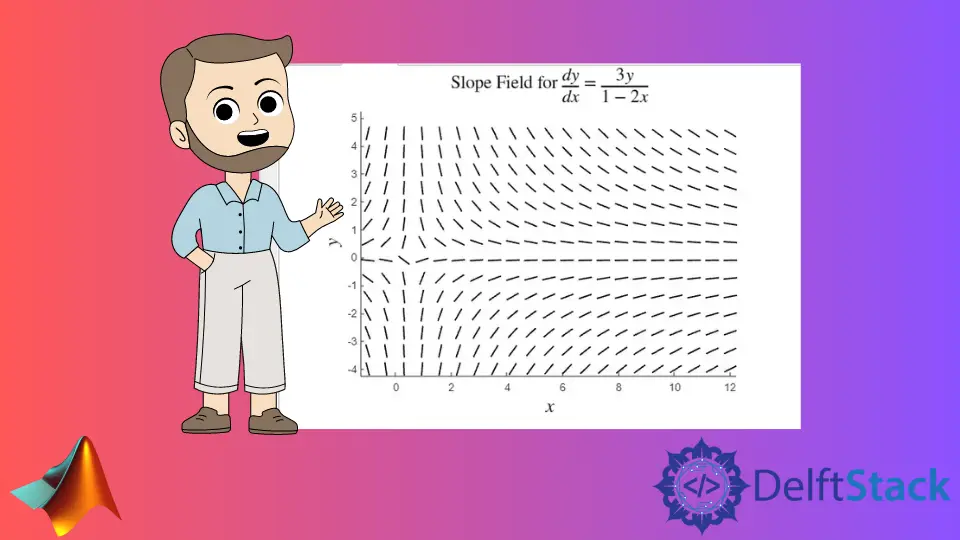
How to Calculate Image Histogram in MATLABLearn how to calculate the histogram of an image in MATLAB using the imhist() function. This guide covers loading images, calculating histograms, and analyzing pixel intensity distributions for effective image processing. Perfect for beginners and experienced users alike, discover the significance of histograms in image analysis today. How to Escape Character Sequences on a String in MATLABThis tutorial demonstrates how to escape character sequences in strings in MATLAB. Learn the methods to use escape characters effectively, including examples for including quotes, new lines, and backslashes. Enhance your MATLAB programming skills with these string manipulation techniques. How to Draw a Slope Field in MATLABThis tutorial demonstrates how to draw a slope field of any first-order ordinary differential equation in MATLAB. Learn to create, customize, and enhance slope fields with solution curves for better visualization and understanding of differential equations. Perfect for students and educators alike, this guide provides step-by-step instructions and code examples to enhance your mathematical modeling skills. How to Use Kronecker Delta in MATLABThis tutorial demonstrates how to use the Kronecker delta in MATLAB. Learn various methods for implementing the Kronecker delta function, including logical indexing and vectorized operations. Enhance your understanding of this mathematical concept and apply it to your projects with practical examples and clear explanations. How to Print Output in Command Window in MatlabThis tutorial demonstrates how to print output in the command window in Matlab, covering essential methods like disp and fprintf. Learn the differences between these functions, how to format strings and numbers, and tips for printing arrays and matrices. Whether you're debugging or presenting results, mastering these techniques will enhance your Matlab experience. MATLAB Machine EpsilonThis tutorial demonstrates the concept of machine epsilon in MATLAB, explaining its significance in numerical precision. Learn how to calculate machine epsilon for both single and double precision, and discover its importance in numerical analysis. Improve your understanding of floating-point arithmetic and enhance the accuracy of your MATLAB computations. How to Display String in MATLABLearn how to display strings in MATLAB using the disp() and sprintf() functions. This comprehensive guide explains both methods, providing clear code examples and detailed explanations. Whether you are a beginner or an experienced programmer, mastering these functions will enhance your MATLAB skills and improve your coding efficiency. MATLAB Fprintf TableLearn how to use MATLAB's fprintf function to print formatted text and create tables. This guide covers essential techniques for displaying data clearly, including formatting numbers, aligning text, and writing output to files. Perfect for beginners and experienced users alike, discover the power of fprintf to enhance your MATLAB programming skills. How to Maximize Figure in MATLABLearn how to maximize figures in MATLAB using the figure() function. This article provides step-by-step methods to create, customize, and save your plots, ensuring optimal visibility and clarity for your data visualizations. Discover tips and tricks to enhance your MATLAB experience today. How to Convert ASCII to String in MATLABLearn how to convert ASCII values to strings in MATLAB using the char() function. This article provides step-by-step guidance, examples, and explanations to help you master this essential programming task. Whether you're a beginner or an experienced user, you'll find valuable insights to enhance your skills in handling text data in MATLAB. MATLAB Global VariablesDiscover the power of MATLAB global variables and learn how to share data between functions effortlessly. This comprehensive guide covers declaration, best practices, and examples to enhance your coding efficiency. Whether you're a novice or an experienced programmer, understanding global variables can simplify your MATLAB projects. How to Make a Column Vector in MATLABLearn how to create a column vector in MATLAB using various methods such as semicolons, the transpose function, and the reshape function. This comprehensive guide will help you understand the process and enhance your data manipulation skills in MATLAB. Perfect for beginners and seasoned programmers alike, this article provides clear examples and explanations to ensure you can confidently create column vectors for your projects. Masking in MATLABThis tutorial demonstrates masking in MATLAB, a powerful technique for isolating specific data regions in images and matrices. Learn how to create and apply masks effectively, enhancing your data analysis and visualization skills. Dive into practical examples and advanced methods to master this essential feature in MATLAB. MATLAB vs OctaveExplore the differences and similarities between MATLAB and Octave in this comprehensive article. Learn about cost, compatibility, performance, and community support to decide which numerical computing tool is right for you. Whether you are a student or a professional, understanding these platforms will help you make an informed choice. MATLAB asv FileDiscover the importance of MATLAB .asv files, the autosave feature that protects your data from unexpected crashes. Learn how to locate, recover, and automate the management of these essential files to enhance your productivity in MATLAB. This comprehensive guide provides tips, code examples, and best practices to ensure your work is always safe. How to Comment Multiple Lines in MATLABLearn how to comment multiple lines in MATLAB effectively with our comprehensive guide. Discover the comment block method and the MATLAB editor's features for easy commenting. Improve code readability and maintainability while enhancing your coding experience. Explore tips, code examples, and best practices for efficient commenting in MATLAB. MATLAB Default Color OrderDiscover the MATLAB default color order and learn how to retrieve and customize it using the get() function. This guide provides practical examples and code snippets to enhance your data visualizations. Understand how to create engaging plots with distinct colors that improve readability and align with your project needs. Perfect for beginners and experienced users alike. How to Return Multiple Values From a Matlab FunctionDiscover how to return multiple values from a MATLAB function using box brackets, structures, and cell arrays. This guide provides clear examples and explanations to enhance your programming efficiency. Learn the best practices for managing complex data outputs in MATLAB and streamline your coding process. How to Run MATLAB Script From Command LineThis tutorial demonstrates how to run MATLAB scripts from the command line, providing step-by-step instructions for various methods. Learn to use the MATLAB command line interface, Python's subprocess module, and the MATLAB Engine API for Python to enhance your productivity. Whether you're automating tasks or integrating MATLAB with Python, this guide has you covered. MATLAB Eigenvalues and EigenvectorsOne can find the eigenvalues and eigenvectors using the eig() function in MATLAB. How to Plot 3D Bar Graph in MATLABOne can create a 3D bar graph using the bar3() and the bar3h() functions in MATLAB. MATLAB & vs && OperatorIn MATLAB, & is a logical AND operator and && is also a logical operator which exhibits short circuit behavior. This article will discuss the difference between & and && operator in MATLAB. How to Plot Mesh Surface in MATLABOne can create surface plots using the `mesh()` function in MATLAB. The Diff() Function in MATLABOne can find differences and approximate derivatives using the diff() function in MATLAB.