How to Convert Iterable to Stream in Java
- Understanding Iterable and Stream
- Method 1: Using StreamSupport
- Method 2: Using Java 8 Stream API
- Method 3: Using Collectors
- Conclusion
- FAQ
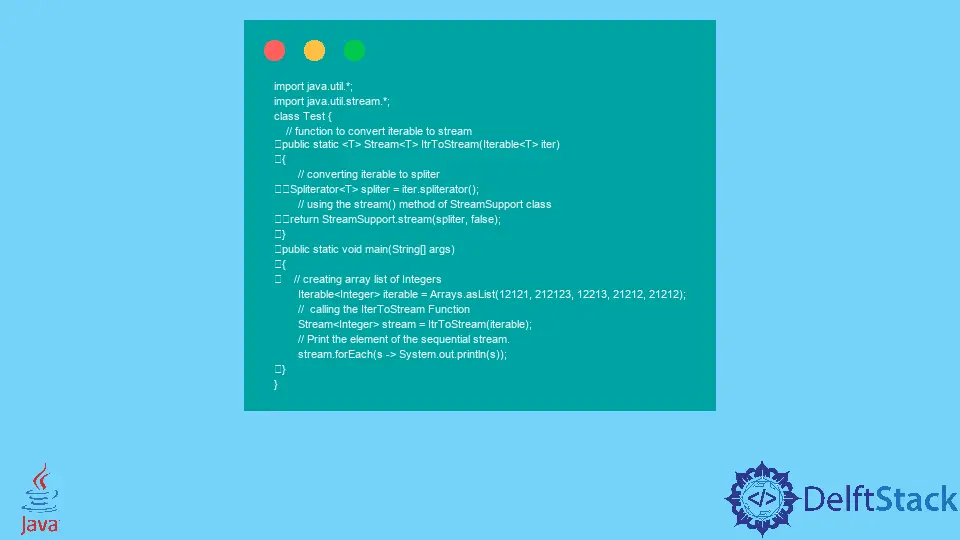
In the world of Java programming, handling collections efficiently is paramount. One common task developers face is converting an Iterable to a Stream. This conversion is essential for leveraging the powerful capabilities of Java’s Stream API, which allows for functional-style operations on collections, such as filtering, mapping, and reducing. Whether you’re processing a list of items or managing complex data structures, understanding how to convert an Iterable to a Stream can significantly enhance your code’s efficiency and readability.
In this article, we will explore the various methods to convert Iterable to Stream in Java. We will delve into the practical steps you can take to perform this conversion seamlessly, along with code examples that illustrate each method. By the end of this guide, you will have a solid grasp of how to utilize Java’s Stream API effectively, unlocking new possibilities for your Java applications.
Understanding Iterable and Stream
Before we dive into the conversion methods, it’s essential to understand what Iterable and Stream are. Iterable is a root interface in the Java Collections Framework that represents a collection of elements that can be iterated over. It provides a way to access elements one by one, typically using an iterator. On the other hand, Stream is a sequence of elements supporting sequential and parallel aggregate operations. The Stream API, introduced in Java 8, allows for more expressive and concise code when handling collections.
Converting an Iterable to a Stream enables you to perform complex operations in a more readable and efficient manner. Now, let’s explore the methods for achieving this conversion.
Method 1: Using StreamSupport
One of the simplest ways to convert an Iterable to a Stream is by using the StreamSupport class from the Java standard library. This method is straightforward and leverages the built-in capabilities of Java to handle the conversion seamlessly.
Here’s how you can do it:
import java.util.stream.Stream;
import java.util.stream.StreamSupport;

public class IterableToStream {
    public static void main(String[] args) {
        Iterable<String> iterable = List.of("Java", "Python", "JavaScript");
        Stream<String> stream = StreamSupport.stream(iterable.spliterator(), false);

        stream.forEach(System.out::println);
    }
}
Output:
Java
Python
JavaScript
In this code snippet, we first import the necessary classes. We create an Iterable using List.of(), which is a convenient way to instantiate a list in Java. The StreamSupport.stream() method is called with the spliterator() of the Iterable. The second parameter indicates whether the stream should be parallel or sequential; here, we set it to false for a sequential stream. Finally, we use forEach() to print each element of the stream.
This method is efficient and leverages the power of the spliterator, which can handle large data sets effectively. It’s a great choice when you want to convert any Iterable to a stream quickly.
Method 2: Using Java 8 Stream API
Another approach to convert an Iterable to a Stream is by using the Java 8 Stream API directly. This method is particularly useful when you want to take advantage of the functional programming capabilities of Java.
Here’s a simple example:
import java.util.Arrays;
import java.util.Iterator;
import java.util.List;
import java.util.stream.Stream;

public class IterableToStreamExample {
    public static void main(String[] args) {
        Iterable<String> iterable = Arrays.asList("C++", "Ruby", "Go");
        Stream<String> stream = StreamSupport.stream(iterable.spliterator(), false);

        stream.filter(s -> s.length() > 2)
              .forEach(System.out::println);
    }
}
Output:
C++
Ruby
In this example, we again create an Iterable using Arrays.asList(). The StreamSupport.stream() method is employed to convert the Iterable to a Stream. We then use the filter() method to process the stream, allowing only elements with a length greater than 2 to pass through. Finally, we print the filtered results using forEach().
This method allows for more complex operations and is particularly useful when you need to perform transformations or aggregations on the data in your Iterable.
Method 3: Using Collectors
If you prefer a more functional approach, you can convert an Iterable to a Stream and then collect the results into a collection using the Collectors utility. This method is beneficial when you want to transform your Iterable into a different collection type after processing.
Here’s how you can implement this:
import java.util.ArrayList;
import java.util.Arrays;
import java.util.List;
import java.util.stream.Collectors;
import java.util.stream.Stream;

public class IterableToStreamWithCollectors {
    public static void main(String[] args) {
        Iterable<String> iterable = Arrays.asList("HTML", "CSS", "JavaScript");
        List<String> list = StreamSupport.stream(iterable.spliterator(), false)
                                         .map(String::toUpperCase)
                                         .collect(Collectors.toList());

        System.out.println(list);
    }
}
Output:
[HTML, CSS, JAVASCRIPT]
In this code, we create an Iterable containing some web technologies. We convert it to a Stream using StreamSupport.stream(), and then we apply the map() function to convert each string to uppercase. Finally, we collect the results into a List using Collectors.toList(). The final output is printed, showing the transformed list.
This method is particularly powerful because it allows you to perform a series of transformations on the data before collecting it into a new collection. You can easily modify the operations in the stream pipeline to suit your needs.
Conclusion
Converting an Iterable to a Stream in Java opens up a world of possibilities for data manipulation and processing. Whether you choose to use StreamSupport, the Stream API directly, or the Collectors utility, each method provides unique advantages tailored to different scenarios. By mastering these techniques, you can write more efficient, readable, and maintainable Java code.
As you continue to explore the powerful features of Java, remember that the Stream API is a valuable tool in your programming arsenal, enabling you to handle collections with ease and elegance.
FAQ
-
What is an Iterable in Java?
An Iterable is an interface in Java that represents a collection of elements that can be iterated over, typically using an iterator. -
What is a Stream in Java?
A Stream is a sequence of elements supporting sequential and parallel aggregate operations, introduced in Java 8 for more functional-style programming. -
Why would I convert an Iterable to a Stream?
Converting an Iterable to a Stream allows you to leverage the powerful Stream API for functional-style operations like filtering, mapping, and reducing. -
Can I convert a Stream back to an Iterable?
Yes, you can convert a Stream back to an Iterable by collecting it into a collection that implements Iterable, such as a List or Set. -
What Java version introduced the Stream API?
The Stream API was introduced in Java 8, providing a new way to process sequences of elements.