How to Remove the Last Character From a String in PHP
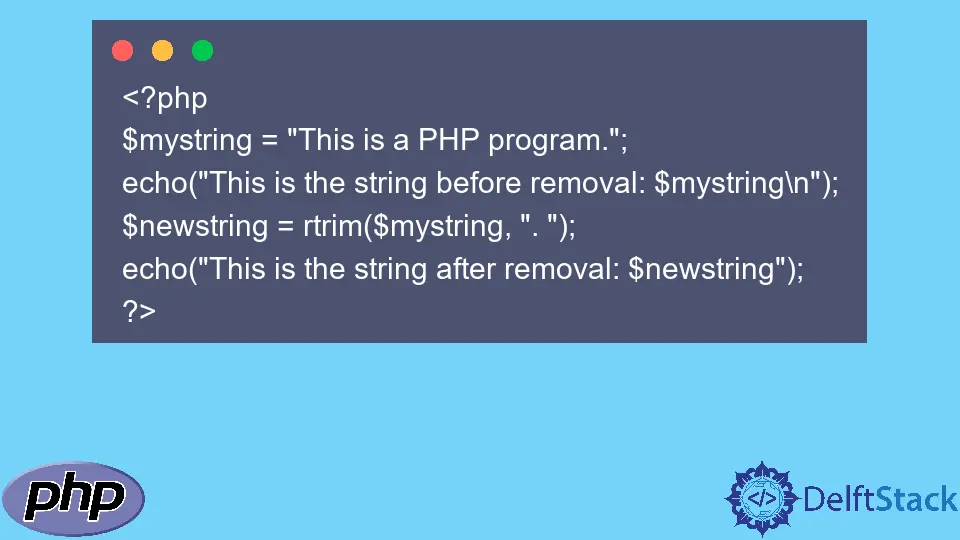
When working with strings in PHP, you may find yourself needing to manipulate them for various reasons. One common requirement is removing the last character from a string. Whether you are cleaning up user input, formatting data for output, or simply adjusting strings for further processing, knowing how to efficiently remove the last character can be quite handy. In this article, we will explore two popular methods to achieve this: using the rtrim() function and the substr() function.
Understanding how to effectively manipulate strings is essential for any PHP developer. With these functions, you can easily modify strings based on your specific needs. Let’s dive into the details of each method and see how they can be implemented in your PHP projects.
Using the rtrim() Function
The rtrim() function in PHP is primarily used to strip whitespace or specified characters from the end of a string. However, it can also be utilized to remove the last character effectively. Here’s how you can use it:
$string = "Hello World!";
$modifiedString = rtrim($string, "!");
echo $modifiedString;
Output:
Hello World
In this example, we start with the string “Hello World!”. The rtrim() function is called with the string and the character we want to remove, which is the exclamation mark (!). The function trims this character from the end of the string, resulting in “Hello World”. It’s important to note that rtrim() will remove all instances of the specified character from the end of the string. So if there were multiple exclamation marks, it would remove them all until it encounters a different character.
This method is particularly useful when you want to ensure that a specific character is removed from the end of a string, making it a flexible option for various scenarios. Just remember that if the character is not found at the end, the original string remains unchanged.
Using the substr() Function
Another effective way to remove the last character from a string in PHP is by using the substr() function. This function returns a part of a string based on specified start and length parameters. Here’s how you can leverage it to remove the last character:
$string = "Hello World!";
$modifiedString = substr($string, 0, -1);
echo $modifiedString;
Output:
Hello World
In this code snippet, we use the substr() function to create a new string that starts from the beginning (index 0) and goes up to the length of the string minus one (indicated by -1). This effectively removes the last character from the string. The result is “Hello World”, just as with the previous method.
Using substr() is a straightforward approach when you want precise control over the string manipulation. Unlike rtrim(), substr() does not depend on the character being removed; it simply takes the string length into account. This makes it versatile for any string manipulation task, regardless of the characters involved.
Conclusion
In summary, removing the last character from a string in PHP can be efficiently accomplished using either the rtrim() or substr() functions. Each method has its unique advantages: rtrim() is excellent for trimming specific characters, while substr() provides precise control over string length. Depending on your project’s needs, you can choose the method that best fits your requirements.
By mastering these string manipulation techniques, you can enhance your PHP programming skills and streamline your code. So the next time you need to modify a string, you’ll be well-equipped to handle it with ease.
FAQ
-
What is the difference between rtrim() and substr()?
rtrim() removes specified characters from the end of a string, while substr() extracts a portion of the string based on specified indices. -
Can I remove more than one character from the end of a string using rtrim()?
Yes, rtrim() will remove all instances of the specified character from the end of the string until it encounters a different character. -
Is there a performance difference between using rtrim() and substr()?
Generally, both functions are efficient, but substr() may offer better performance when you know the exact length of the string you want to keep. -
Can I use these methods on strings that are empty?
Yes, both rtrim() and substr() will handle empty strings gracefully without causing errors. -
Are there any other methods to manipulate strings in PHP?
Yes, PHP offers various string functions like str_replace(), str_split(), and mb_substr() for different string manipulation needs.