HOWTO · Java
How to Fix java.lang.NumberFormatException: Null Error in Java
This tutorial demonstrates the java.lang.NumberFormatException: null error in Java.
This tutorial demonstrates the java.lang.NumberFormatException: null error in Java.
the java.lang.NumberFormatException: null Error in Java
The NumberFormatException usually occurs when we try to convert a string with improper format into a number value. This exception means converting the string into a numeric value is impossible.
The NumberFormatException is a runtime exception, a subclass for IllegalArgumentException. This exception can be handled using the try-catch blocks.
The NumberFormatException with a null value occurs when we try to convert a null value to an integer.
The NumberFormatException with the value null occurs when we use JSP and cannot get the numeric value properly from a form field. The main reasons for this exception are:
- When working with form and numeric values and cannot properly get the numeric values from the field at the action page.
- When the string from the field is empty or null.
Let’s try an example that throws the java.lang.numberformatexception: null exception:
Example (NewForm.jsp):
<%@ page language="java" contentType="text/html; charset=ISO-8859-1" pageEncoding="ISO-8859-1"%>
<!DOCTYPE html>
<html>
<head>
<meta charset="ISO-8859-1">
    <title>Calculator</title>
</head>
<body>
    <form action="ExampleMath" method="post">
        Enter first number : <input type="number" id="first" required><br>
        Enter second number : <input type="number" id="second" required><br>

        <input type="radio" id="add" name="math" value="add">
        <label for="addition">Addition</label><br>
        <input type="radio" id="sub" name="math" value="sub">
        <label for="substraction">Subtraction</label><br>
        <input type="radio" id="multi" name="math" value="multi">
        <label for="multiplication">Multiplication</label><br>
        <input type="radio" id="div" name="math" value="div">
        <label for="division">Division</label><br><br>

        <input type="submit" value="Check Result">
    </form>
</body>
</html>
And the servlet for this is ExampleMath.java:
import java.io.IOException;
import java.io.PrintWriter;
import javax.servlet.ServletException;
import javax.servlet.annotation.WebServlet;
import javax.servlet.http.HttpServlet;
import javax.servlet.http.HttpServletRequest;
import javax.servlet.http.HttpServletResponse;
@WebServlet("/ExampleMath")
ExampleMath public class ExampleMath extends HttpServlet {
  private static final long serialVersionUID = 1L;
  protected void doPost(HttpServletRequest HTTP_Request, HttpServletResponse HTTP_Response)
      throws ServletException, IOException, NumberFormatException {
    HTTP_Response.setContentType("text/html");
    PrintWriter Print_Writer = HTTP_Response.getWriter();
    int Number1 = Integer.parseInt(HTTP_Request.getParameter("first"));
    int Number2 = Integer.parseInt(HTTP_Request.getParameter("second"));
    String Symbol = HTTP_Request.getParameter("math");

    int result = 0;
    if (Symbol.equals("addition"))
      result = Number1 + Number2;
    else if (Symbol.equals("substraction"))
      result = Number1 - Number2;
    else if (Symbol.equals("multiplication"))
      result = Number1 * Number2;
    else
      result = Number1 / Number2;
    Print_Writer.println(result);
  }
}
The code above throws the NumberFormatException exception with a null because it cannot get the values from the form fields. See output:
HTTP Status 500 – Internal Server Error Type Exception Report

Message null

Description The server encountered an unexpected condition that prevented it from fulfilling the request.

Exception

java.lang.NumberFormatException: null
    java.base/java.lang.Integer.parseInt(Integer.java:614)
    java.base/java.lang.Integer.parseInt(Integer.java:770)
    DemWeb.ExampleMath.doPost(ExampleMath.java:19)
    jakarta.servlet.http.HttpServlet.service(HttpServlet.java:689)
    jakarta.servlet.http.HttpServlet.service(HttpServlet.java:770)
    org.apache.tomcat.websocket.server.WsFilter.doFilter(WsFilter.java:53)
The solution for this will be to try to avoid a null value. And here, the problem is we are trying to use ids in the field instead of name parameters; that is why the system cannot detect the fields.
Changing ids to names will solve the problem. Here is the solution in NewForm.jsp.
<%@ page language="java" contentType="text/html; charset=ISO-8859-1" pageEncoding="ISO-8859-1"%>
<!DOCTYPE html>
<html>
<head>
<meta charset="ISO-8859-1">
    <title>Calculator</title>
</head>
<body>
    <form action="ExampleMath" method="post">
        Enter first number : <input type="number" name="first" required><br>
        Enter second number : <input type="number" name="second" required><br>

        <input type="radio" id="add" name="math" value="add">
        <label for="addition">Addition</label><br>
        <input type="radio" id="sub" name="math" value="sub">
        <label for="substraction">Subtraction</label><br>
        <input type="radio" id="multi" name="math" value="multi">
        <label for="multiplication">Multiplication</label><br>
        <input type="radio" id="div" name="math" value="div">
        <label for="division">Division</label><br><br>

        <input type="submit" value="Check Result">
    </form>
</body>
</html>
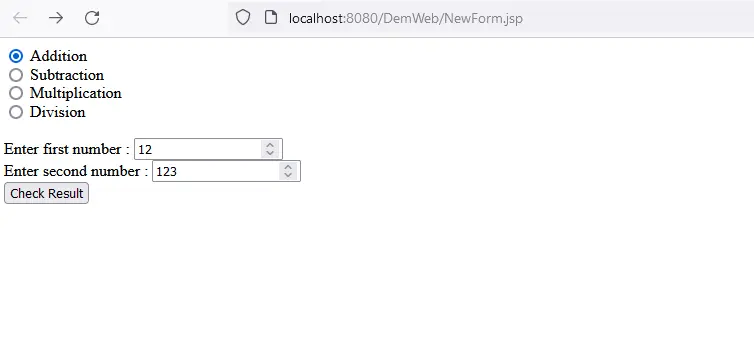
After running the code, the output will be:
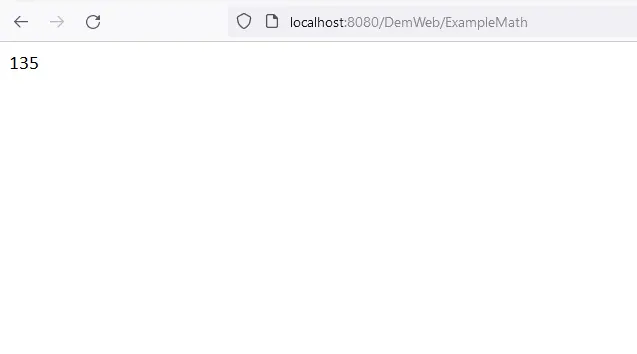
After clicking the Check Result button, we obtain: