Practical solutions

Git Howtos How-To Guides

Solve the problem. Keep building. Collection of Git how-to articles

Find the answer you need

Browse practical solutions, grouped by the task you're working on.

__COUNT__ entries on this page
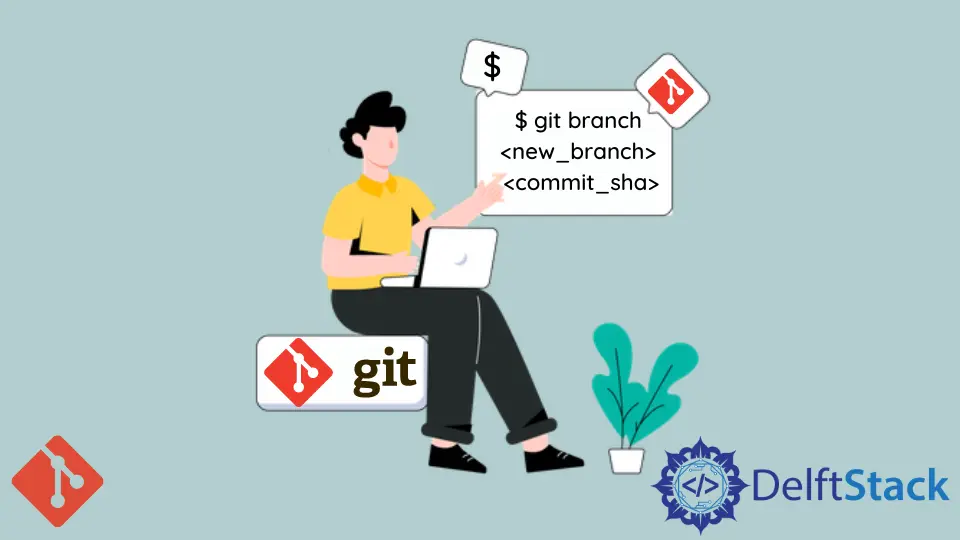
How to List Remote Branches in GitLearn how to effectively list remote branches in Git using Python. This comprehensive guide covers various methods, including GitPython and subprocess, to enhance your version control skills. Whether you're a beginner or an experienced developer, streamline your workflow and improve collaboration with these practical techniques. How to Create Branch From a Commit in GitLearn how to create a branch from a commit in Git with our easy-to-follow guide. Discover methods for branching from the latest commit or a specific commit, and enhance your version control skills. Mastering these Git commands will improve your workflow and project management. How to Add Empty Directory in GitLearn how to add empty directories in Git using effective command-line solutions. This article covers methods like using .gitkeep, .gitignore, and custom placeholder files to maintain your project's structure. Discover practical steps and examples to keep your Git repository organized and efficient. Log Graph in GitThis tutorial on log graph in Git demonstrates how to graphically view the history of commits using the git log command. Learn effective methods to visualize your commit history, including command-line options and GUI tools. Enhance your Git experience and improve collaboration with clear insights into your project's development. How to Change the Git Editor for CommitsLearn how to change the default Git editor for commits using the terminal or by editing the .gitconfig file. This tutorial provides step-by-step instructions and code examples for a smoother Git experience. Customize your workflow today and enhance your coding efficiency. How to Use Git Diff to Ignore Whitespaces in GitIn this article, learn how to use the git diff command to effectively ignore whitespace changes in Git. Explore various methods, including using the -w option, configuring Git for default behavior, and combining options for more control. Enhance your code review process and focus on meaningful changes with these practical techniques. How to Understand the Git Conflict MarkersIn this article, we explore Git conflict markers and provide practical methods for resolving merge conflicts. Learn how to interpret conflict markers, use Git commands, and even automate conflict resolution with Python. Mastering these techniques will enhance your version control skills and streamline your development process. How to Merge Files Without Auto Commit in GitLearn how to merge files without auto commit in Git, enhancing your control over the merging process. Explore methods like using the --no-commit option, cherry-picking specific commits, and stashing changes for manual merging. This guide provides clear examples and explanations to help you manage your Git merges effectively, ensuring a smoother workflow and better collaboration. How to Understand the Git Commit Signoff FeatureLearn how to effectively use the Git commit signoff feature to enhance accountability in your projects. This article covers methods to add signoff lines to your commits, including command line usage, configuration tips, and GUI client options. Whether you're new to Git or an experienced developer, understanding this feature is essential for maintaining project integrity. How to Fix Fatal: The Remote End Hung Up Unexpectedly Error in GitThis article outlines effective methods to solve the fatal: The remote end hung up unexpectedly error in Git. Learn how to troubleshoot this issue by checking your internet connection, increasing Git's buffer size, switching to SSH, and verifying repository permissions. Get back to coding smoothly with our comprehensive guide. How to Stage Deleted Files in GitLearn how to stage deleted files in Git effectively with our comprehensive guide. Discover various methods, including using git rm, git add, and wildcards to manage deletions in your repository. This article provides clear commands and explanations, ensuring you can maintain a clean commit history while working with version control. Perfect for developers looking to streamline their workflow and avoid common pitfalls. How to Open a File on Git BashLearn how to open a file in Git Bash with this informative guide. Explore various methods including command-line editors like nano and vim, Python scripts for automation, and GUI editors for a more visual experience. Enhance your workflow and file management skills with easy-to-follow examples and explanations tailored for developers of all levels. How to Create a Git Patch From Uncommitted ChangesLearn how to create a Git patch from uncommitted changes with our easy-to-follow guide. Discover multiple methods using Git commands, including how to target specific files and include untracked changes. Master these techniques to enhance your workflow and collaborate effectively. How to Get the Name of a Git RepositoryDiscover how to get the name of a Git repository using simple Git commands. Learn effective methods such as git remote -v, git config, and more. This comprehensive guide will enhance your Git skills and streamline your workflow, making it easier to manage projects and collaborate with others. How to Commit and Push a Single File to the Remote in GitLearn how to commit and push a single file to a remote Git repository with this comprehensive guide. Explore various methods including command line, GUI clients, and automation using Python. Enhance your Git workflow and keep your commits organized with easy-to-follow steps and code examples. How to Remove a Submodule in GitThis tutorial is about removing submodules in Git How to Clone a Remote Repository With Submodules in GitThis article will discuss how to clone a remote Git repository including its submodules. How to Globally Ignore Files in GitThis tutorial demonstrates how to ignore files globally using various commands. How to Restore Deleted Files Before Commit in GitThis article uses the reset and checkout commands with various options to restore deleted files uncommitted in Git. Learn a neat trick to batch undelete many files with a single command. How to Undo the Last Git Commit in a Local RepositoryYou can undo the last git commit and retain file changes. How to Clean Up Git Repositories With the Git Prune CommandIn this article, we will discuss the git prune command and the purpose it serves. How to Use Git Rebase on the Command LineIn this article, we will discuss the process of using the git rebase command effectively. How to Make a Folder a Git Repo and Push to RemoteYou can turn your local folders to Git repositories. Difference Between the Git Reset, Revert, and Checkout CommandsDifferentiate between the Git checkout, reset, and revert commands.