How to Use the STL Stringstream Class in C++
- What is the Stringstream Class?
- Basic Usage of Stringstream
- String Conversion with Stringstream
- Parsing Strings with Stringstream
- Conclusion
- FAQ
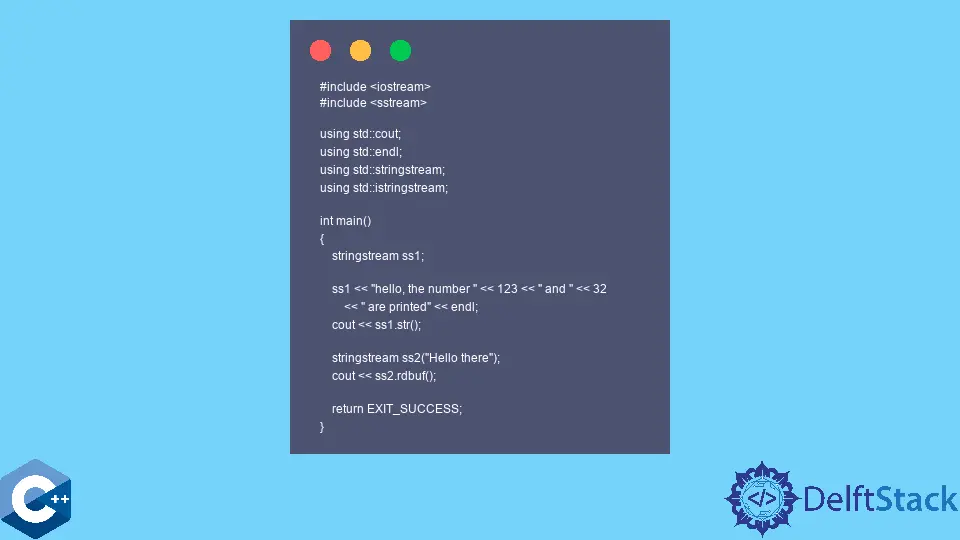
The Standard Template Library (STL) provides many powerful tools for C++ developers, and one of the most versatile is the stringstream class. This class allows for the manipulation of strings in a manner similar to input and output streams, making it an invaluable asset for tasks that involve string formatting, parsing, and more. Whether you’re converting data types or constructing complex strings, stringstream can simplify your code and enhance readability.
In this article, we will dive into the STL stringstream class, exploring its functionalities and providing practical examples. If you’re looking to improve your C++ programming skills, understanding how to effectively use stringstream is essential. So, let’s unravel the mysteries of this powerful class and see how it can elevate your coding experience.
What is the Stringstream Class?
The stringstream class is part of the <sstream> header in C++. It is designed to operate on strings as if they were streams. This means you can read from and write to strings using the same syntax you would use for input and output streams. Stringstream is particularly useful for formatting strings and converting between different data types seamlessly.
One of the main advantages of using stringstream is its ability to handle string manipulations without the need for complex string functions. Instead, you can leverage the familiar stream operators (<< and >>) to achieve your goals. This not only makes your code cleaner but also improves maintainability.
Basic Usage of Stringstream
To get started with stringstream, you first need to include the <sstream> header. Here’s a simple example that demonstrates how to create a stringstream object, write to it, and then read from it.
#include <iostream>
#include <sstream>
#include <string>

int main() {
    std::stringstream ss;
    ss << "Hello, " << "World! " << 2023;

    std::string output = ss.str();
    std::cout << output << std::endl;

    return 0;
}
Output:
Hello, World! 2023
In this example, we start by including the necessary headers. We create a stringstream object named ss and use the insertion operator (<<) to write various types of data into it, including strings and an integer. The str() method is then called to retrieve the contents of the stringstream as a string. Finally, we print the output to the console.
The stringstream class simplifies the process of concatenating strings and other data types. This approach is cleaner and more intuitive than using traditional string manipulation methods.
String Conversion with Stringstream
One of the most powerful features of stringstream is its ability to convert between different data types. This is particularly useful when you need to convert integers, floats, or other types into strings for display or storage. Here’s how you can achieve that.
#include <iostream>
#include <sstream>
#include <string>

int main() {
    int num = 42;
    std::stringstream ss;
    ss << num;

    std::string numStr = ss.str();
    std::cout << "The number as a string: " << numStr << std::endl;

    return 0;
}
Output:
The number as a string: 42
In this code snippet, we start with an integer variable num. We create a stringstream object ss and use the insertion operator to write the integer to the stream. By calling the str() method, we convert the integer into a string, which we then print to the console. This method of conversion is straightforward and eliminates the need for cumbersome functions like std::to_string().
Stringstream also supports conversion from strings back to other data types. This is achieved using the extraction operator (>>). For example, if you have a string representation of a number and want to convert it back to an integer, stringstream makes it easy.
Parsing Strings with Stringstream
Another common use case for stringstream is parsing strings. Whether you’re reading data from a file or processing user input, stringstream can help you break down a string into its components. Let’s look at an example where we parse a comma-separated string.
#include <iostream>
#include <sstream>
#include <string>

int main() {
    std::string data = "John,Doe,30";
    std::stringstream ss(data);

    std::string firstName, lastName;
    int age;

    std::getline(ss, firstName, ',');
    std::getline(ss, lastName, ',');
    ss >> age;

    std::cout << "First Name: " << firstName << std::endl;
    std::cout << "Last Name: " << lastName << std::endl;
    std::cout << "Age: " << age << std::endl;

    return 0;
}
Output:
First Name: John
Last Name: Doe
Age: 30
In this example, we have a string data that contains information separated by commas. We initialize a stringstream object with this string. We then use std::getline() to extract the first name and last name, specifying a comma as the delimiter. For the age, we use the extraction operator to read the integer directly from the stringstream. This illustrates how stringstream can be a powerful tool for parsing structured data easily.
Conclusion
The STL stringstream class is a versatile and powerful feature of C++ that simplifies string manipulation, conversion, and parsing. By leveraging stringstream, you can write cleaner, more efficient code that enhances the readability and maintainability of your programs. Whether you’re dealing with user input, file data, or simply formatting strings, mastering stringstream will undoubtedly elevate your C++ programming skills.
Incorporating stringstream into your coding practices can significantly streamline your workflow. As you continue to explore the capabilities of this class, you’ll find that it opens up new possibilities for managing strings in your C++ applications.
FAQ
-
What is the purpose of the stringstream class in C++?
The stringstream class is used for input and output operations on strings, allowing for easy string manipulation, formatting, and conversion between data types. -
How do you convert an integer to a string using stringstream?
You can convert an integer to a string by inserting the integer into a stringstream object and then calling thestr()method to retrieve the string representation. -
Can stringstream parse strings?
Yes, stringstream can parse strings using the extraction operator and functions likestd::getline()to separate components based on specified delimiters. -
Is stringstream thread-safe?
No, stringstream is not inherently thread-safe. If you’re working in a multi-threaded environment, you should implement appropriate synchronization mechanisms. -
What header file do I need to include to use stringstream?
You need to include the<sstream>header file to use the stringstream class in your C++ programs.

Founder of DelftStack.com. Jinku has worked in the robotics and automotive industries for over 8 years. He sharpened his coding skills when he needed to do the automatic testing, data collection from remote servers and report creation from the endurance test. He is from an electrical/electronics engineering background but has expanded his interest to embedded electronics, embedded programming and front-/back-end programming.
LinkedIn Facebook