HOWTO · Java
JavaFX setFill()メソッド
このチュートリアルでは、JavaFX で setFill()メソッドを使用する方法を示します。
このページの内容
setFill() メソッドは、JavaFX の図形やその他の要素の色を塗りつぶすために使用されます。このチュートリアルでは、JavaFX で setFill() メソッドを使用する方法を示します。
JavaFX setFill() メソッド
setFill() メソッドは、均一な画像パターンとグラデーションパターンを JavaFX の形状に塗りつぶすことができます。setFill() メソッドを使用するには、JavaFX.scene.paint パッケージが必要です。
setFill() を使用して、Shape、Text などのクラスに色を塗りつぶすことができます。
構文:
//Setting color to the text
Color color = new Color.Red
text.setFill(color);
上記の構文では、paint パッケージの Color クラスを使用して色を指定し、setFill() メソッドを使用してテキストに塗りつぶします。以下は、setFill メソッドを使用してシーンに色を塗りつぶす手順です。
- Application クラスを拡張し、
start()メソッドを実装するクラスを作成します。 Groupクラスをインスタンス化してグループを作成します。Sceneクラスをインスタンス化し、groupをそれに渡すことにより、シーンを作成します。setFillメソッドを使用してシーンに色を塗りつぶします。- 図形、円、長方形などを作成し、その図形を
グループに追加します。 Sceneをステージに渡し、Showメソッドでステージを表示します。mainメソッドでアプリケーションを起動します。
上記の手順に基づいた例を見てみましょう。
サンプルコード:
package delftstack;

import javafx.application.Application;
import javafx.scene.*;
import javafx.scene.paint.Color;
import javafx.scene.shape.*;
import javafx.stage.Stage;

public class JavaFX_SetFill extends Application {
  @Override
  public void start(Stage DemoStage) {
    Group DemoGroup = new Group();
    Scene DemoScene = new Scene(DemoGroup, 200, 150);
    DemoScene.setFill(Color.LIGHTBLUE);

    Circle DemoCircle = new Circle(100, 100, 80, Color.RED);

    DemoGroup.getChildren().add(DemoCircle);
    DemoStage.setScene(DemoScene);
    DemoStage.show();
  }

  public static void main(String[] args) {
    launch(args);
  }
}
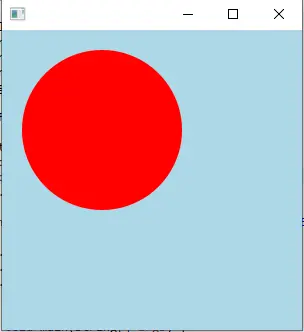
上記のコードは、円の形をしたシーンを作成します。setFill メソッドを使用して、シーンに色を塗りつぶします。
出力:
setFill() メソッドを使用して、図形とテキストに色を塗りつぶしてみましょう。
サンプルコード:
package delftstack;

import javafx.application.Application;
import javafx.scene.Group;
import javafx.scene.Scene;
import javafx.scene.paint.Color;
import javafx.scene.shape.Rectangle;
import javafx.scene.text.Font;
import javafx.scene.text.Text;
import javafx.stage.Stage;

public class JavaFX_SetFill extends Application {
  @Override
  public void start(Stage DemoStage) {
    // Draw a Square
    Rectangle Square = new Rectangle();

    // Set the properties of the Square
    Square.setX(200.0f);
    Square.setY(200.0f);
    Square.setWidth(300.0f);
    Square.setHeight(300.0f);

    // Set color to the Square
    Square.setFill(Color.LIGHTBLUE);

    // Set the stroke width
    Square.setStrokeWidth(3);

    // Set color to the stroke
    Square.setStroke(Color.LIGHTGREEN);

    // Draw a text
    Text DemoText = new Text("This is a colored Square");

    // Set the font of the text
    DemoText.setFont(Font.font("Edwardian Script ITC", 60));

    // Set the position of the text
    DemoText.setX(155);
    DemoText.setY(50);

    // Set color to the text
    DemoText.setFill(Color.BEIGE);
    DemoText.setStrokeWidth(2);
    DemoText.setStroke(Color.LIGHTBLUE);

    // Create a Group object
    Group Group_Root = new Group(Square, DemoText);

    // Create a scene object
    Scene DemoScene = new Scene(Group_Root, 600, 300);

    // Set title to the Stage
    DemoStage.setTitle("SetFill Example");

    // Add scene to the stage
    DemoStage.setScene(DemoScene);

    // Display the contents of the stage
    DemoStage.show();
  }
  public static void main(String args[]) {
    launch(args);
  }
}
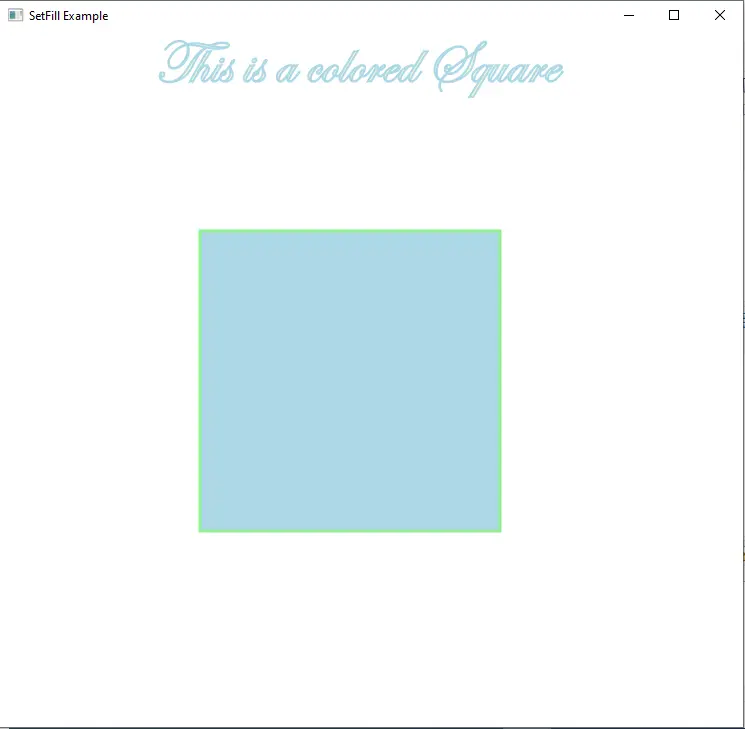
上記のコードは、正方形とテキストを作成し、setfill メソッドを使用して正方形を色で塗りつぶします。また、境界線に setStroke メソッドを使用します。
出力:
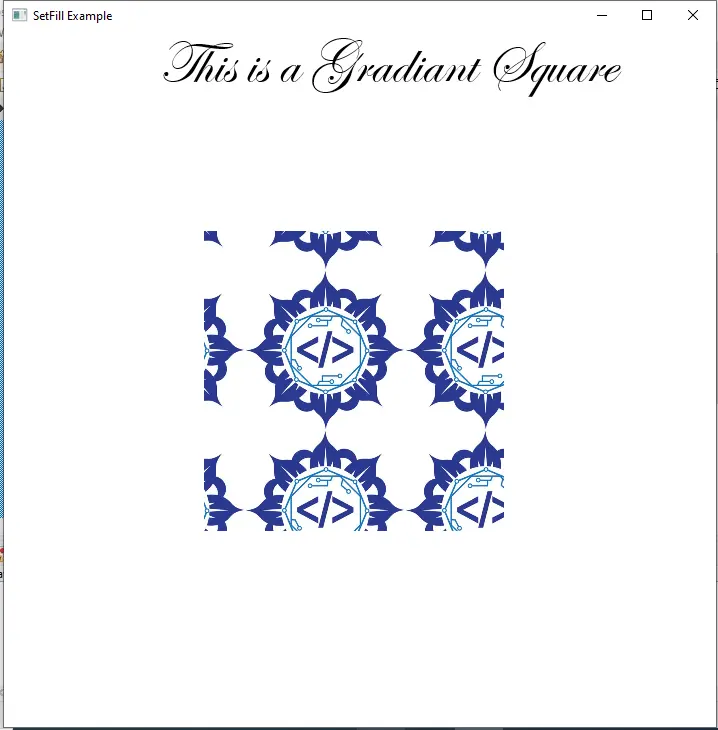
setFill メソッドは、画像のグラデーションを図形またはテキストに塗りつぶすこともできます。
サンプルコード:
package delftstack;

import java.io.FileInputStream;
import java.io.FileNotFoundException;
import javafx.application.Application;
import javafx.scene.Group;
import javafx.scene.Scene;
import javafx.scene.image.Image;
import javafx.scene.paint.Color;
import javafx.scene.paint.ImagePattern;
import javafx.scene.shape.Rectangle;
import javafx.scene.text.Font;
import javafx.scene.text.Text;
import javafx.stage.Stage;

public class JavaFX_SetFill extends Application {
  @Override
  public void start(Stage DemoStage) throws FileNotFoundException {
    // Draw a Square
    Rectangle Square = new Rectangle();

    // Set the properties of the Square
    Square.setX(200.0f);
    Square.setY(200.0f);
    Square.setWidth(300.0f);
    Square.setHeight(300.0f);

    // Draw a text
    Text DemoText = new Text("This is a Gradient Square");

    // Set the font of the text
    DemoText.setFont(Font.font("Edwardian Script ITC", 60));

    // Set the position of the text
    DemoText.setX(155);
    DemoText.setY(50);

    // Set the image pattern
    Image DemoImage = new Image(new FileInputStream("Delftstack.png"));
    ImagePattern Image_Gradient = new ImagePattern(DemoImage, 80, 80, 160, 160, false);

    // Set the linear gradient to the Square
    Square.setFill(Image_Gradient);

    // Create a Group object
    Group Group_Root = new Group(Square, DemoText);

    // Create a scene object
    Scene DemoScene = new Scene(Group_Root, 600, 300);

    // Set title to the Stage
    DemoStage.setTitle("SetFill Example");

    // Add scene to the stage
    DemoStage.setScene(DemoScene);

    // Display the contents of the stage
    DemoStage.show();
  }
  public static void main(String args[]) {
    launch(args);
  }
}
上記のコードは、画像のグラデーションを正方形に塗りつぶします。
出力: