HOWTO · jQuery
jQuery を使用して要素が存在するかどうかを確認する
このチュートリアルでは、jQuery を使用して要素が存在するかどうかを確認する方法を示します。
このページの内容
jQuery を使用して要素が存在するかどうかを確認する方法は 2つあります。1つは length プロパティであり、もう 1つはメソッドを使用して独自の exist() メソッドを作成する方法です。このチュートリアルでは、要素が存在するかどうかを確認する方法を示します。
jQuery で length プロパティを使って要素が存在するかどうかをチェックする
jQuery の length プロパティを使用して、要素が存在するかどうかを確認できます。一致した要素の合計を返します。長さが 0 を返す場合、要素は存在せず、他の値は要素が存在することを意味します。
length プロパティの構文は次のとおりです。
($("element").length)
上記の構文は、0 またはその他の数値を返します。
長さプロパティを使用して、要素が存在するかどうかを確認する例を試してみましょう。例を参照してください:
<!DOCTYPE html>
<html>
<head>
    <script src= "https://ajax.googleapis.com/ajax/libs/jquery/3.5.1/jquery.min.js"> </script>
    <title>jQuery Length</title>
    <style>
    body {
        text-align: center;
    }
    h1 {
        color: lightblue;
        font-size: 4.5rem;
    }
    button {
        cursor: pointer;
        margin-top: 4rem;
    }
    </style>
</head>
<body>
    <h1>Delftstack | The Best Tutorial Site</h1>
    <p id="DemoPara1">This is paragraph 1</p>
    <button id="DemoButton1"> Check Paragraph 1</button>
    <button id="DemoButton2"> Check Paragraph 2 </button>
    <button id="DemoButton3"> Check Heading 1 </button>
    <script type="text/javascript">
    $(document).ready(function () {
        $("#DemoButton1").click(function () {
        if ($("#DemoPara1").length) {
            alert("Paragraph 1 exists");
        }
        else {
        alert("Paragraph 1 does not exist");
        }
        });

        $("#DemoButton2").click(function () {
        if ($("#DemoPara2").length) {
            alert("Paragraph 2 exists");
        }
        else {
            alert("Paragraph 2 does not exist");
        }
        });
        $("#DemoButton3").click(function () {
        if ($("h1").length) {
            alert("Heading 1 exists");
        }
        else {
            alert("Heading 1 does not exist");
        }
        });
    });
    </script>
</body>
</html>
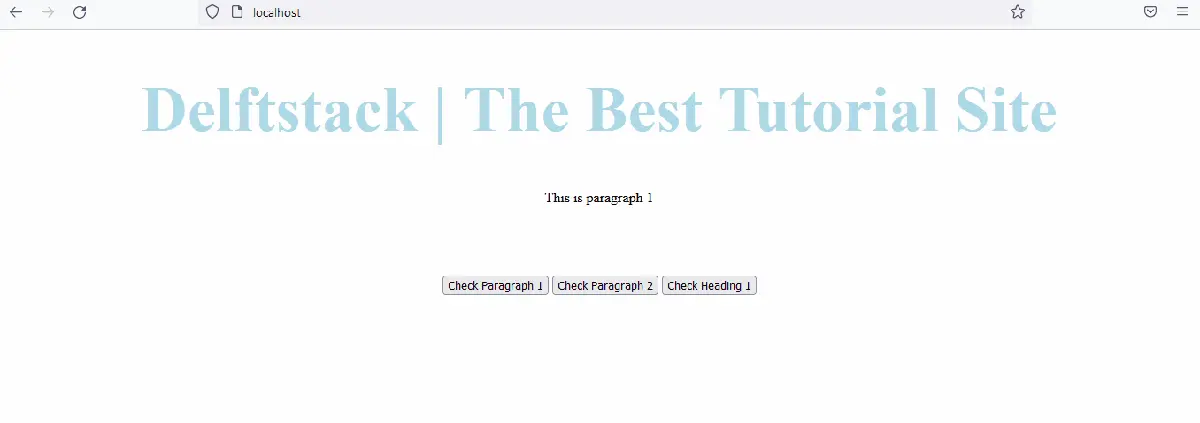
上記のコードは、別のボタンを押すことにより、段落と見出しが存在するかどうかを確認します。出力を参照してください:
jQuery を使用して要素が存在するかどうかを確認するユーザー定義関数を作成する
それでは、要素が jQuery に存在するかどうかを確認するために、独自のメソッドを作成してみましょう。関数を作成するための構文は次のとおりです。
jQuery.fn.exists = function () {
          return this.length > 0;
};
ご覧のとおり、length プロパティを使用して、jQuery で独自の exists 関数を作成しました。length プロパティは、要素の存在を確認するのではなく、要素の長さを返すために使用されます。そのため、独自のメソッドを一度作成して、どこでも使用できます。
例を参照してください:
<!DOCTYPE html>
<html>
<head>
    <script src= "https://ajax.googleapis.com/ajax/libs/jquery/3.5.1/jquery.min.js"> </script>
    <title>jQuery Exists</title>
    <style>
    body {
        text-align: center;
    }
    h1 {
        color: lightblue;
        font-size: 4.5rem;
    }
    button {
        cursor: pointer;
        margin-top: 4rem;
    }
    </style>
</head>
<body>
    <h1>Delftstack | The Best Tutorial Site</h1>
    <p id="DemoPara1">This is paragraph 1</p>
    <button id="DemoButton1"> Check Paragraph 1</button>
    <button id="DemoButton2"> Check Paragraph 2 </button>
    <button id="DemoButton3"> Check Heading 1 </button>
    <script type="text/javascript">
    $(document).ready(function () {
        jQuery.fn.exists = function () {
          return this.length > 0;
        };

        $("#DemoButton1").click(function () {
        if ($("#DemoPara1").exists()) {
            alert("Paragraph 1 exists");
        }
        else {
        alert("Paragraph 1 does not exist");
        }
        });

        $("#DemoButton2").click(function () {
        if ($("#DemoPara2").exists()) {
            alert("Paragraph 2 exists");
        }
        else {
            alert("Paragraph 2 does not exist");
        }
        });
        $("#DemoButton3").click(function () {
        if ($("h1").exists()) {
            alert("Heading 1 exists");
        }
        else {
            alert("Heading 1 does not exist");
        }
        });
    });
    </script>
</body>
</html>
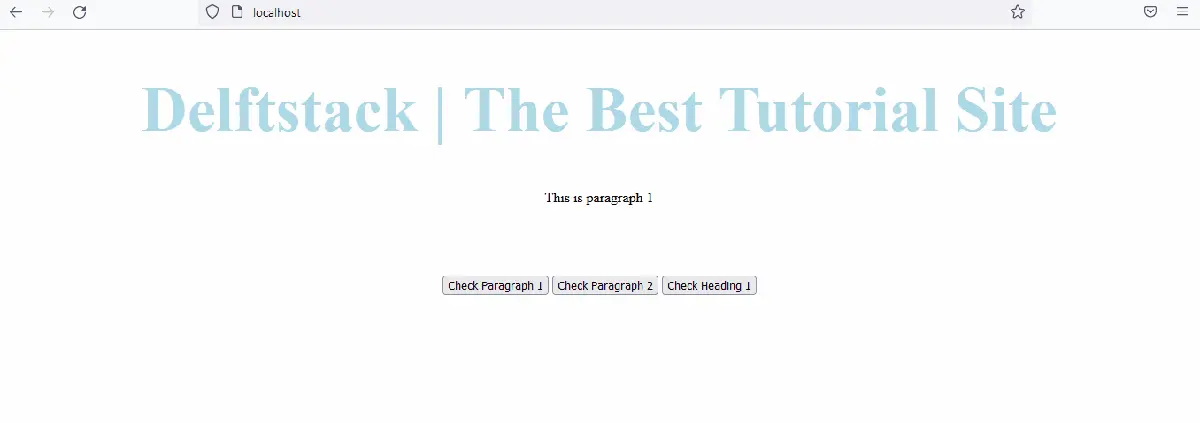
上記のコードは、ユーザー定義関数 exists を使用して、要素が存在するかどうかを確認します。出力は例のようになります。
出力を参照してください: