How to Find Data That Contains Matching Pattern in SQLite
- Understanding the LIKE Operator
- Using Regular Expressions for Advanced Matching
- Combining LIKE and Regular Expressions
- Conclusion
- FAQ
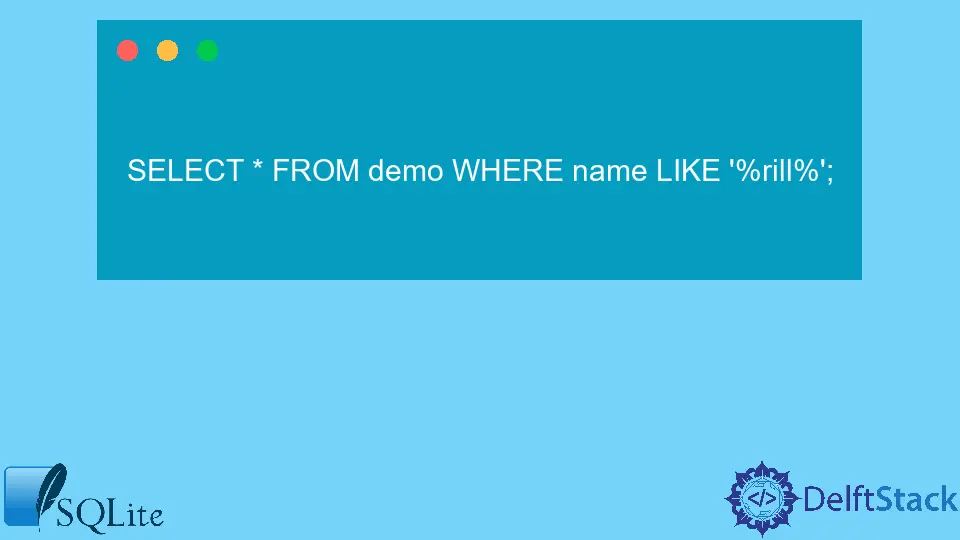
In today’s data-driven world, being able to retrieve specific information from databases is crucial for developers and analysts alike. SQLite, a lightweight database engine, is popular for its simplicity and efficiency. One of the powerful features of SQLite is its ability to search for data that matches specific patterns. Whether you’re looking for names, email addresses, or any other string data, mastering pattern matching can significantly enhance your data retrieval skills.
This tutorial will guide you through the essential techniques for finding data that matches specific patterns in SQLite using Python. We’ll explore the LIKE operator and delve into the world of regular expressions, which can help you perform more complex queries. By the end of this article, you’ll have a solid understanding of how to leverage these tools to make your database queries more effective.
Understanding the LIKE Operator
The LIKE operator is a fundamental tool in SQLite for pattern matching. It allows you to search for a specified pattern in a column of a table. The two main wildcard characters used with LIKE are the percent sign (%) and the underscore (_). The percent sign represents zero or more characters, while the underscore represents a single character.
To demonstrate how to use the LIKE operator, let’s assume you have a table called users with a column username. If you want to find all usernames that start with the letter ‘A’, you can use the following SQL query:
SELECT * FROM users WHERE username LIKE 'A%';
This query will return all records where the username begins with ‘A’, followed by any sequence of characters.
Output:
1 | Alice
2 | Adam
3 | Amanda
In this example, the query effectively filters usernames that match the specified pattern. The use of the wildcard allows for flexible searching, making it a powerful feature for developers. You can also use the underscore to match specific character lengths. For instance, if you want to find usernames that are exactly five characters long and start with ‘A’, you would use:
SELECT * FROM users WHERE username LIKE 'A____';
Output:
1 | Alice
This query finds usernames that start with ‘A’ and are followed by exactly four characters. The LIKE operator is versatile and can be adapted to various scenarios, making it an essential tool for anyone working with SQLite databases.
Using Regular Expressions for Advanced Matching
While the LIKE operator is effective for simple pattern matching, regular expressions offer more advanced capabilities. SQLite supports regular expressions through the REGEXP operator, which allows for more complex queries. Regular expressions can match patterns based on specific rules, making them suitable for intricate data retrieval tasks.
To use regular expressions in SQLite, you first need to ensure that your SQLite installation supports this feature. Once you have confirmed that, you can use the following syntax to find matches. For example, if you want to find all email addresses in a table contacts, you could use:
SELECT * FROM contacts WHERE email REGEXP '^[a-zA-Z0-9._%+-]+@[a-zA-Z0-9.-]+\\.[a-zA-Z]{2,}$';
Output:
1 | alice@example.com
2 | bob@example.org
In this query, the regular expression checks for valid email formats, ensuring that the data retrieved conforms to typical email patterns. The ^ and $ indicate the start and end of the string, while [a-zA-Z0-9._%+-] matches the characters allowed in the username part of the email.
Regular expressions can be daunting at first, but they are incredibly powerful once mastered. You can create patterns to match phone numbers, dates, or any other string format that requires specific validation. With practice, you’ll find that regular expressions can save you time and effort in data retrieval tasks.
Combining LIKE and Regular Expressions
In some cases, you may want to combine the LIKE operator with regular expressions to refine your search. This approach allows for a more comprehensive query, enabling you to filter data based on multiple criteria. For instance, if you want to find usernames that start with ‘A’ and are followed by any number of alphanumeric characters, you can use both methods together.
Here’s an example query that combines LIKE and REGEXP:
SELECT * FROM users WHERE username LIKE 'A%' AND username REGEXP '^[A-Za-z0-9]+$';
Output:
1 | Alice
2 | Adam
In this query, we first filter usernames that start with ‘A’ using the LIKE operator. Then, we further refine the results by ensuring that the usernames only contain alphanumeric characters using the REGEXP operator. This dual approach enhances the precision of your data retrieval, allowing you to extract exactly what you need.
Combining these two methods can be particularly useful in scenarios where your data is diverse and requires careful filtering. By leveraging both the LIKE operator and regular expressions, you can create robust queries that cater to various data retrieval needs.
Conclusion
Finding data that matches specific patterns in SQLite is a valuable skill for developers and analysts. By mastering the LIKE operator and regular expressions, you can enhance your data retrieval techniques and improve the efficiency of your database queries. Whether you’re filtering usernames or validating email addresses, these tools provide the flexibility needed to extract meaningful information from your datasets. As you practice and implement these methods, you’ll find that your ability to work with data becomes more intuitive and effective.
FAQ
-
What is the LIKE operator in SQLite?
The LIKE operator is used to search for a specified pattern in a column of a table in SQLite, utilizing wildcards for flexible matching. -
How do wildcards work with the LIKE operator?
The percent sign (%) represents zero or more characters, while the underscore (_) represents a single character in pattern matching. -
What are regular expressions in SQLite?
Regular expressions are advanced pattern matching tools that allow for complex queries beyond the capabilities of the LIKE operator. -
Can I use both LIKE and regular expressions in a single query?
Yes, you can combine LIKE and regular expressions to refine your search and filter data based on multiple criteria. -
How do I ensure my SQLite installation supports regular expressions?
You should check the documentation or the build options of your SQLite installation, as not all versions may support the REGEXP operator.

Aminul Is an Expert Technical Writer and Full-Stack Developer. He has hands-on working experience on numerous Developer Platforms and SAAS startups. He is highly skilled in numerous Programming languages and Frameworks. He can write professional technical articles like Reviews, Programming, Documentation, SOP, User manual, Whitepaper, etc.
LinkedIn