React Native Foreach Loop
-
Use the
map()Method to Iterate Through Array in React-Native -
Use the
map()Method to Iterate Through an Array of Objects - Conclusion
Sometimes, developers must iterate through objects like arrays and create small components while working with React-native. In vanilla JavaScript, we can iterate through each array element using the foreach loop, but React does not support this.
There are several other ways to iterate through the elements of the array in React, which we will learn in this article.
Use the map() Method to Iterate Through Array in React-Native
In the React-native, the map() method of the array works the same as the foreach method. It iterates through every element, and users can perform some operation with every array element.
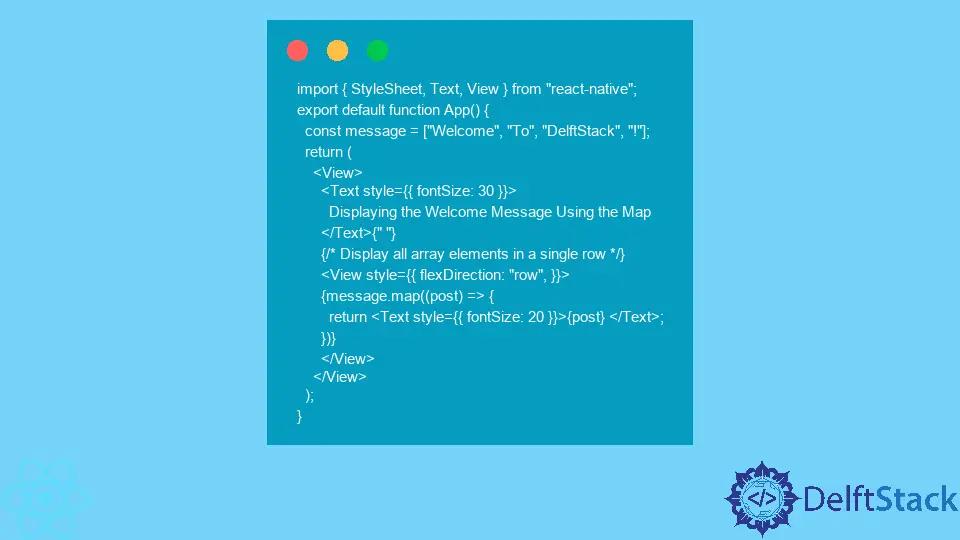
In the example below, we have created the array name message, which contains the welcome message for users. We use the map to iterate through the array and render every element of the array using the Text component.
Example Code:
import { StyleSheet, Text, View } from "react-native";
export default function App() {
  const message = ["Welcome", "To", "DelftStack", "!"];
  return (
    <View>
      <Text style={{ fontSize: 30 }}>
        Displaying the Welcome Message Using the Map
      </Text>{" "}
      {/* Display all array elements in a single row */}
      <View style={{ flexDirection: "row", }}>
      {message.map((post) => {
        return <Text style={{ fontSize: 20 }}>{post} </Text>;
      })}
      </View>
    </View>
  );
}
Output:
-Method-to-Iterate-Through-Array-in-React-Native.webp)
In the above output, users can observe that all elements are displayed in a single row. If developers don’t use the map() method, they need to create the Text component for every message element, which makes the code unclear.
Use the map() Method to Iterate Through an Array of Objects
Now, we will learn the real-time use of the map() method of the array. Suppose developers are developing an application in which they have to fetch the data of books from the database and show books and author line by line.
Here, we are not fetching book data, but we have created an array of objects containing the book’s author and title. After that, we use the map() method by referencing the books array, which returns the Text component containing the book details.
Example Code:
import { StyleSheet, Text, View } from "react-native";
export default function App() {
  const books = [
    {
      author: "jack",
      Title: "Book 1",
    },
    {
      author: "mack",
      Title: "Book 2",
    },
    {
      author: "Shubham",
      Title: "Book 3",
    },
    {
      author: "jem",
      Title: "Book 4",
    },
  ];
  return (
    <View>
      <Text style={{ fontSize: 30 }}>
        Showing the Book Title and its author name
      </Text>{" "}
      {/* Display all array elements one by one */}
      <View>
        {books.map((book) => {
          return <Text style={{ fontSize: 20 }}>{book.Title} by {book.author}</Text>;
        })}
      </View>
    </View>
  );
}
Output:
-Method-to-Iterate-Through-an-Array-of-Objects.webp)
Conclusion
In this article, readers learned to iterate through the array of elements in React Native. If users want to iterate through the array inside the return part, use the map() method.
Otherwise, users can use the foreach method.

Related Article - React Native
- How to Align Text Vertically in React-Native
- How to Set Font Weight in React Native
- How to Align Text in React-Native
- How to Animate SVG in React Native
- How to Set the Border Color in React-Native