How to Set a Single Main Title for All the Subplots in Matplotlib

Creating engaging visualizations is a crucial aspect of data analysis, and Matplotlib is one of the most popular libraries for this purpose in Python. When working with multiple subplots, it can be challenging to maintain clarity and cohesion in your visual storytelling. One effective way to enhance the readability of your plots is by setting a single main title that encompasses all the subplots. This article will guide you on how to achieve that using the pyplot.suptitle() and Figure.suptitle() methods.
Setting a main title for all subplots not only gives context to your visualizations but also helps your audience grasp the overall theme at a glance. Whether you’re creating a series of related plots or comparing different datasets, a unified title brings coherence to your work. Let’s dive into the methods you can use to set a single main title for all your subplots in Matplotlib.
Using pyplot.suptitle()
The pyplot.suptitle() method is a straightforward approach to set a main title for all subplots in Matplotlib. This function is part of the pyplot module, which is a convenient interface for creating plots. By calling pyplot.suptitle(), you can easily add a title above all your subplots, ensuring that your audience understands the overarching topic of your visualizations.
We use matplotlib.pyplot.suptitle() method to set main title common to all subplots in Matplotlib.
import numpy as np
import matplotlib.pyplot as plt

m1 = 1
c1 = 0

m2 = 2
c2 = 2

m3 = 2
c3 = 1

m4 = 1
c4 = 2

x = np.linspace(0, 3, 100)
y1 = m1 * x + c1
y2 = m2 * x + c2
y3 = m3 * x + c3
y4 = m4 * x + c4

fig, ax = plt.subplots(2, 2, figsize=(10, 8))

ax[0, 0].plot(x, y1)
ax[0, 1].plot(x, y2)
ax[1, 0].plot(x, y3)
ax[1, 1].plot(x, y4)

ax[0, 0].set_title("Line-1")
ax[0, 1].set_title("Line-2")
ax[1, 0].set_title("Line-3")
ax[1, 1].set_title("Line-4")

plt.suptitle("Various Straight Lines", fontsize=20)

fig.tight_layout()
plt.show()
Output:
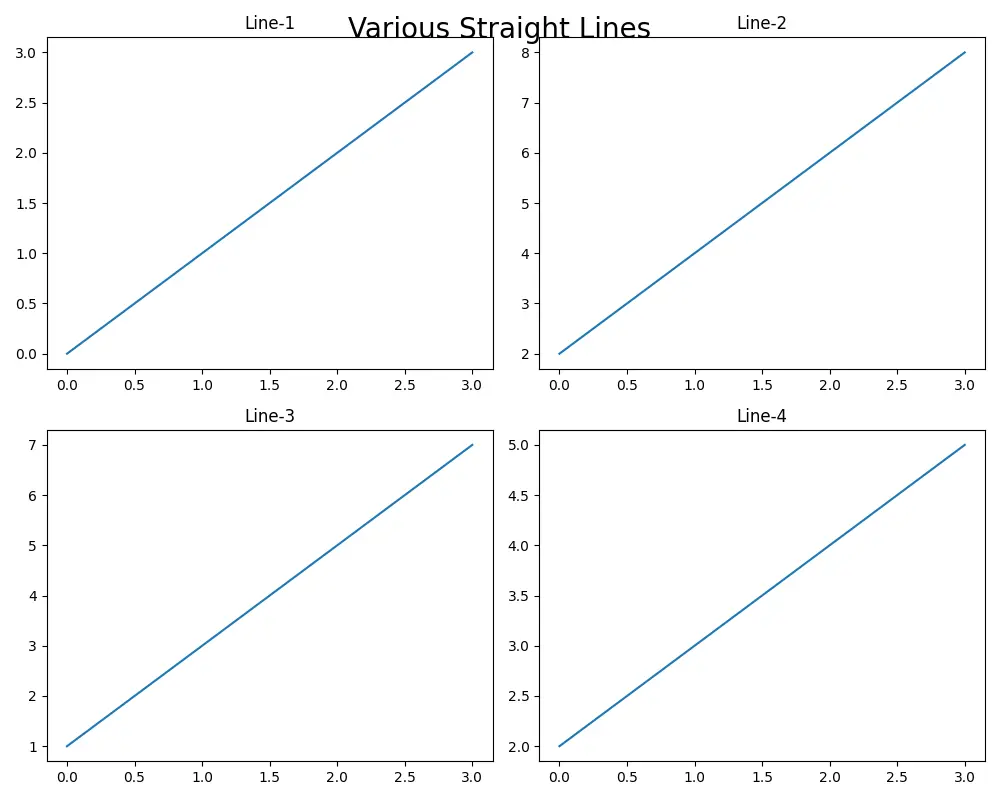
In this example , axes.set_title() method is used to add title to individual subplots while plt.suptitle() method is used to add main title common for all subplots. We can specify various parameters such as x co-ordinate, y co-ordinate, font size and alignments using various parameters to the plt.suptitle() method. In this case, the fontsize=20 is set to make the main title distinguishable from the titles of each subplot.
figure.suptitle() to Add Main Title for All the Subplots
matplotlib.figure.Figure.suptitle() method is also used to set the main title for all subplots in a figure.
import numpy as np
import matplotlib.pyplot as plt

m1 = 1
c1 = 0

m2 = 2
c2 = 2

m3 = 2
c3 = 1

m4 = 1
c4 = 2

x = np.linspace(0, 3, 100)
y1 = m1 * x + c1
y2 = m2 * x + c2
y3 = m3 * x + c3
y4 = m4 * x + c4

fig, ax = plt.subplots(2, 2, figsize=(10, 8))

ax[0, 0].plot(x, y1)
ax[0, 1].plot(x, y2)
ax[1, 0].plot(x, y3)
ax[1, 1].plot(x, y4)

ax[0, 0].set_title("Line-1")
ax[0, 1].set_title("Line-2")
ax[1, 0].set_title("Line-3")
ax[1, 1].set_title("Line-4")

fig.suptitle("Various Straight Lines", fontweight="bold")

fig.tight_layout()
plt.show()
Output:
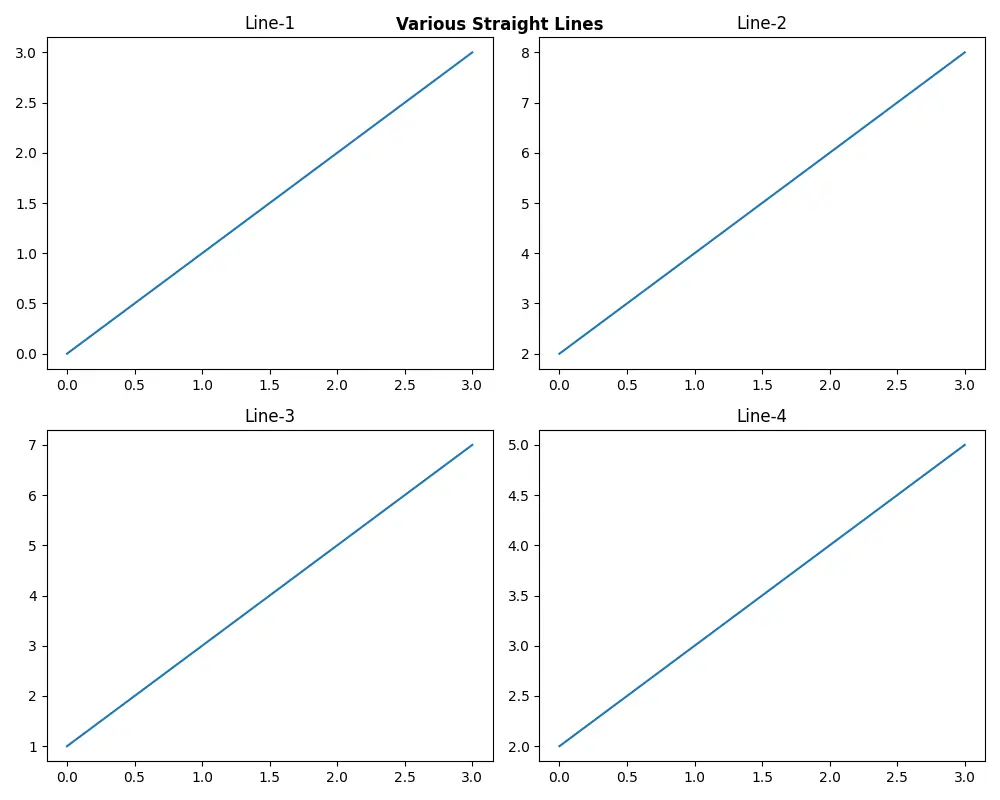
In this example, we follow a similar structure as before, but with a slight twist. After creating the figure and subplots, we use fig.suptitle() to add a main title. Here, we customize the title’s font size, weight, and color, making it stand out prominently. This method is particularly beneficial when you want to emphasize the title or align it with your overall design aesthetic. By directly working with the figure object, you can achieve a higher level of customization in your visualizations.
Conclusion
Setting a single main title for all the subplots in Matplotlib is a simple yet effective way to enhance the clarity and coherence of your visualizations. Whether you opt for pyplot.suptitle() or Figure.suptitle(), both methods provide you with the tools needed to create engaging and informative plots. By following the examples outlined in this article, you can easily implement a main title that ties your visualizations together, offering your audience a clear understanding of the data being presented. So, the next time you create multiple subplots, remember the power of a unified title!
FAQ
-
What is the purpose of setting a main title for subplots in Matplotlib?
Setting a main title helps provide context and coherence to your visualizations, allowing the audience to grasp the overall theme quickly. -
Can I customize the font size and color of the main title?
Yes, bothpyplot.suptitle()andFigure.suptitle()allow for customization of font size, weight, and color. -
Do I need to call
plt.tight_layout()when using a main title?
While not mandatory, callingplt.tight_layout()helps prevent overlap between subplots and ensures a cleaner presentation. -
Is it possible to add a main title to a single subplot?
Yes, you can add a title to a single subplot using theset_title()method on the specific axis. -
Can I use these methods for other types of plots in Matplotlib?
Absolutely! These methods work for any type of subplot arrangement in Matplotlib, whether you’re using bar charts, scatter plots, or line graphs.

Suraj Joshi is a backend software engineer at Matrice.ai.
LinkedIn