
HOWTO · Matplotlib
Matplotlib で凡例のフォントサイズを変更する方法
このチュートリアルでは、Matplotlib で凡例のフォントサイズを設定する方法を紹介します。
このページの内容
Matplotlib の凡例のテキストのフォントサイズを設定する方法はいくつかあります。
フォントサイズを指定する rcParams メソッド
rcParams は、Matplotlib のプロパティとデフォルトスタイルを処理するための辞書です。
1. plt.rc('legend', fontsize= ) メソッド
fontsize は、ポイントの単位を持つ整数、または次のようなサイズ文字列です。
xx - -small
x - small
small
medium
large
x - large
xx - large
plt.rc("legend", fontsize=16)
plt.rc("legend", fontsize="medium")
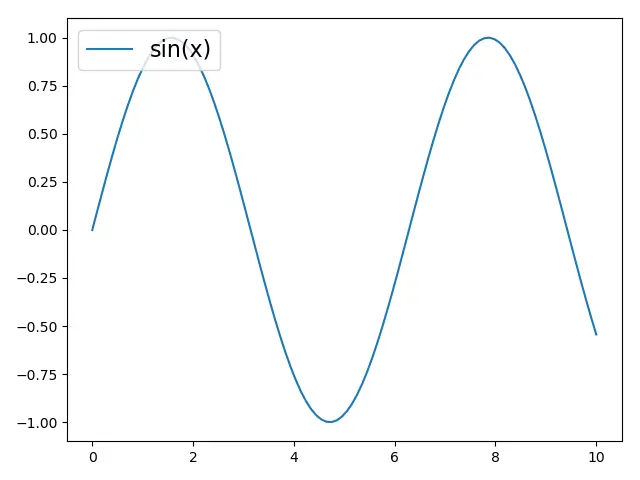
2. plt.rcparams.update() メソッド
import matplotlib.pyplot as plt
import numpy as np

x = np.linspace(0, 10, 100)

plt.plot(x, np.sin(x), label="sin(x)")

params = {"legend.fontsize": 16, "legend.handlelength": 3}

plt.rcParams.update(params)

plt.legend(loc="upper left")

plt.tight_layout()

plt.show()
legend.fontsize は凡例のフォントサイズを指定し、legend.handlelength は凡例ハンドルの長さを font-size 単位で指定します。
plt.rcParams.update(params) は、上記で定義された辞書 params で Matplotlib プロパティとスタイルを更新します。
または、キーをかっこ [] に入れて rcParams 辞書を更新できます。
plt.rcParams["legend.fontsize"] = 16
plt.rcParams["legend.handlelength"] = 16
plt.legend(fontsize= ) 凡例のフォントサイズを指定するメソッド
plt.legend(fontsize=) は、凡例を作成するときに、凡例のフォントサイズを指定できます。
import matplotlib.pyplot as plt
import numpy as np

x = np.linspace(0, 10, 100)

plt.plot(x, np.sin(x), label="sin(x)")

plt.legend(fontsize=16, loc="upper right")

plt.show()
凡例の prop プロパティ
凡例の prop プロパティは、凡例の個々のフォントサイズを設定できます。prop の値は matplotlib.font_manager.FontProperties からのキーワードの辞書です。
plt.legend(prop={"size": 16})
例:
import matplotlib.pyplot as plt
import numpy as np

x = np.linspace(0, 10, 100)

plt.plot(x, np.sin(x), label="sin(x)")

plt.legend(prop={"size": 16}, loc="best")

plt.show()
