HOWTO · jQuery
jQuery 中的 resize() 方法
本教程演示瞭如何在 jQuery 中使用 resize() 方法。
本頁內容
resize() 方法是 jQuery 中的一個內建函式,用於在瀏覽器視窗改變大小時使用。本教程演示瞭如何在 jQuery 中使用 resize() 方法。
在 jQuery 中使用 resize() 方法
resize() 方法的工作方式類似於 JavaScript 的 onresize() 方法。它們用於調整視窗大小。
resize() 方法的語法是:
$(selector).resize(function)
selector 可以是視窗。而 function 是一個可選引數,將在呼叫 resize() 方法時被呼叫;這個函式也稱為處理程式。
處理程式中的程式碼永遠不應基於呼叫處理程式的次數,因為此事件可以連續傳送,直到正在進行調整大小。此方法的返回值是具有調整大小屬性的選定元素。
這裡還應該提到 resize() 方法是 on("resize", handler) 的 jQuery 版本。因此,與此類似,可以使用 .off("resize") 方法進行分離。
讓我們嘗試一個例子:
<!DOCTYPE html>
<html>
<head>
    <title> jQuery resize() method </title>
    <script src = "https://ajax.googleapis.com/ajax/libs/jquery/3.5.1/jquery.min.js"> </script>
    <script>
        var x = 0;
        $(document).ready(function(){
            $(window).resize(function(){
                $("span").text(x += 1);
                var Window_Size = "Width = " + $(window).width() + "<br/>Height = " + $(window).height();
                $('#DemoParagraph').html(Window_Size);
            });
        });
    </script>
    <style>
        span {
        font-weight: bold;
        color: blue;
        font-size: 30px;
        }
    </style>
</head>
<body>
    <h2> jQuery resize() method </h2>
    <p> Resize your browser's window and see the Resize() method effect. </p>
    <p> You have resized the window <span> 0 </span> times.</p>
    <p id = "DemoParagraph"> </p>
</body>
</html>
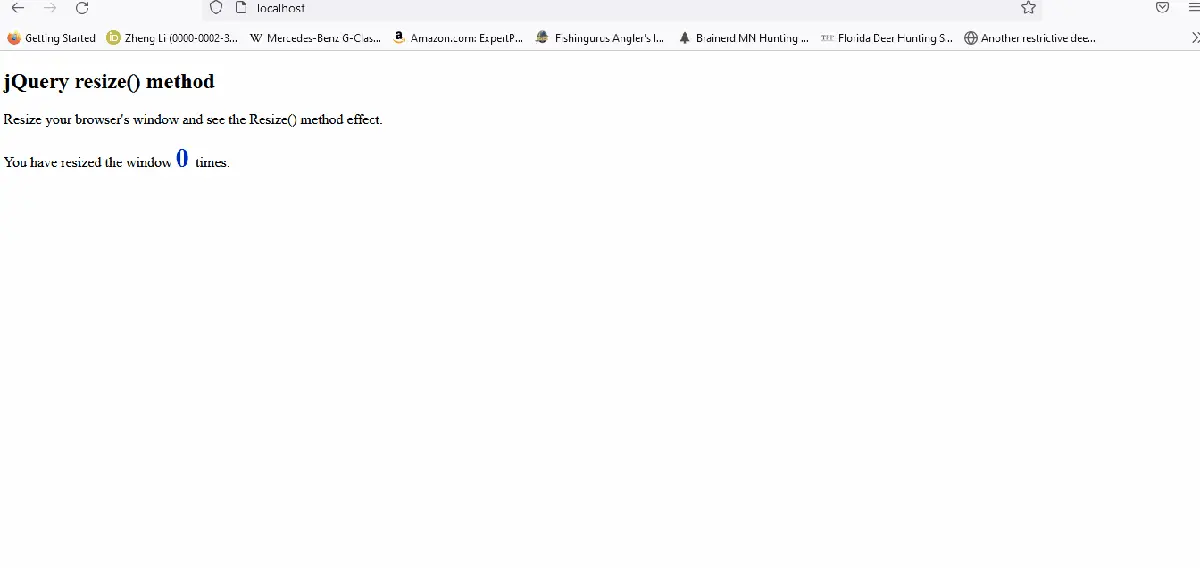
上面的程式碼使用 resize() 方法在調整大小時顯示視窗的寬度和高度。見輸出: