Query as GROUP BY in Django
-
Create a
GROUP BYQuery in Django -
Use Multiple Aggregations With the
GROUP BYQuery -
GROUP BYRecords With Multiple Columns - Filter Records From Every Group
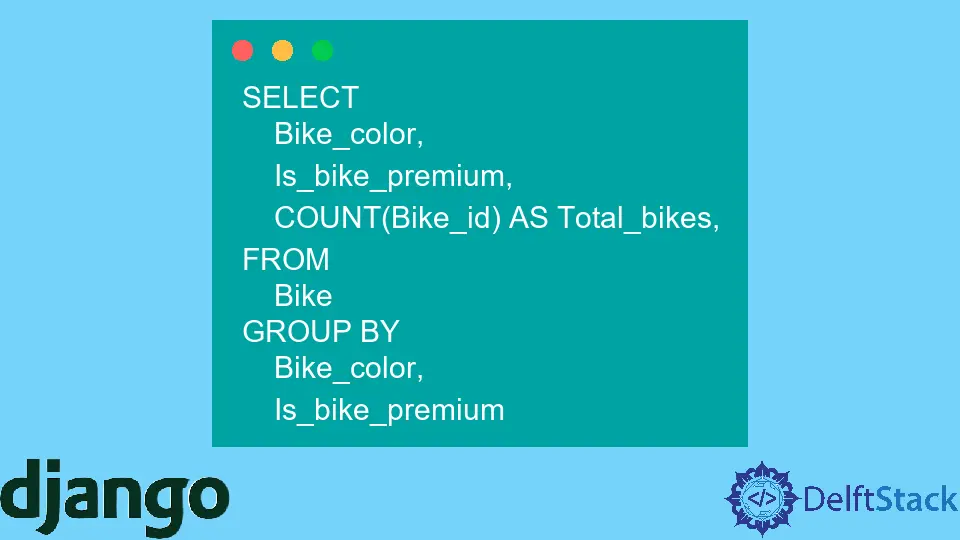
Most of you are familiar with SQL and know how to write SQL queries using the GROUP BY clause to get data in groups. Using the GROUP BY clause, we can make a group of records based on the single-column or multiple-column values and perform an aggregate function.
In this article, we will assume that we are working on the Bike database, which contains the Bike_id, Bike_name, Bike_brand, Bike_color, Bike_bought_date, Is_bike_premium, Bike_price, etc.
We will learn to perform different operations with the GROUP BY clause on the above Bike database. Also, we will write SQL queries first using the GROUP BY clause and convert it into Python so that readers can understand easily and learn to write queries in Django quickly.
Create a GROUP BY Query in Django
Suppose we want to count the number of bikes according to their color. In simple terms, we want to make a group of bikes according to their colors, and for that, we have written the SQL query below.
SELECT
    Bike_color,
    COUNT(Bike_id) AS Total_bikes
FROM
    Bike
GROUP BY
    Bike_color
As an output of the above SQL query, we will get 2 columns. One is Bike_color, and another is Total_Bikes, which represents the number of bikes of a particular color.
Now, we will convert the above SQL query to Python code to get the same result.
from django.db.models import Count

Bike.objects.values("Bike_color").annotate(Total_bikes=Count("Bike_id"))
Output:
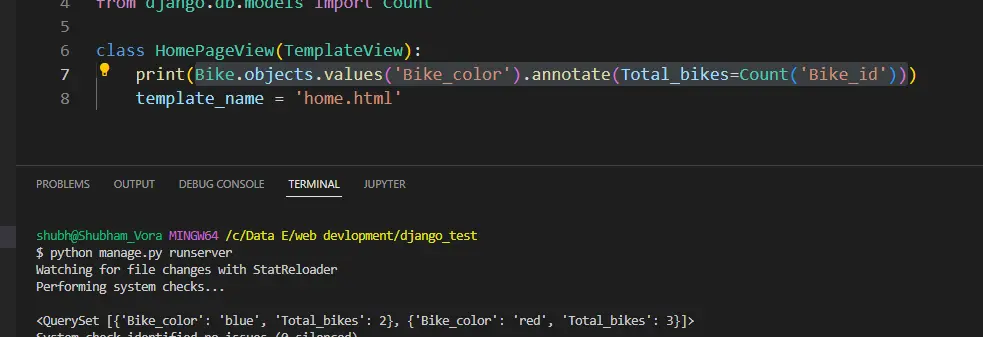
values()- It replaces theGROUP BYclause of the SQL query. Whatever column we are using with theGROUP BYclause in the SQL query that we have to use as arguments of thevalues()method.annotate()- Theannotate()method takes the aggregate function as an argument to apply to every group.
This way, we can make a group of bikes according to their color and count the number of bikes of the same color using the Python query.
If users call the annotate() function before the values(), it will not apply the aggregate function on the groups’ row but the whole record. So, ensure the order of methods you use while writing queries.
Use Multiple Aggregations With the GROUP BY Query
Here, we will make a group of bikes according to their color. After that, we will use the Count() aggregation function to count bikes of every color and the Min() aggregation function to get a bike with minimum cost from every group.
SELECT
    Bike_color,
    COUNT(Bike_id) AS Total_bikes,
    MIN(Bike_price) As cheap_bike
FROM
    Bike
GROUP BY
    Bike_color
Below, we have converted the above SQL query to Python code.
from django.db.models import Count
from django.db.models import Min

Bike.objects.values("Bike_color").annotate(
    Total_bikes=Count("Bike_id"), cheap_bike=Min("Bike_price")
)
Output:
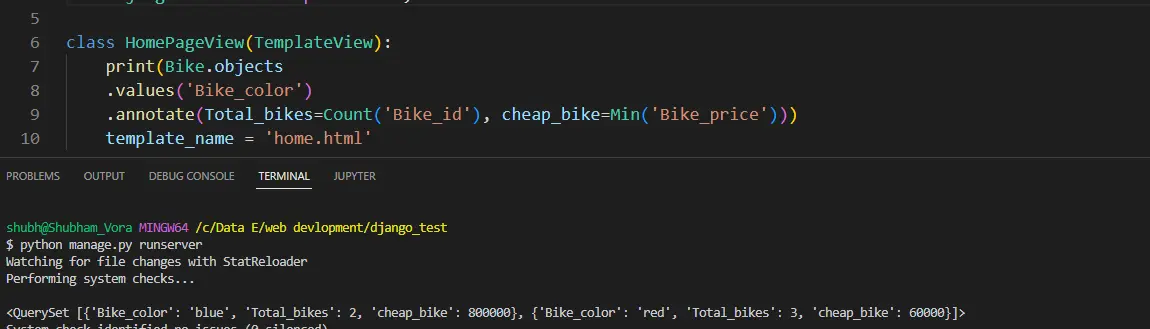
This way, we have used the Count() and Min() multiple aggregate functions with the group by query in Python.
GROUP BY Records With Multiple Columns
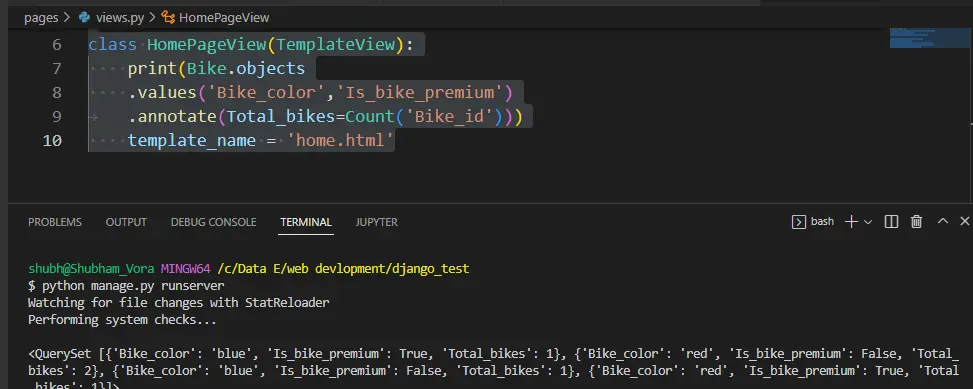
In the below SQL query, we have used the Bike_color and Is_bike_premium fields with the GROUP BY clause. The query will group the records according to their color and whether they are in a premium category.
SELECT
    Bike_color,
    Is_bike_premium,
    COUNT(Bike_id) AS Total_bikes,
FROM
    Bike
GROUP BY
    Bike_color,
    Is_bike_premium
We must add multiple fields inside the values() method to convert the above SQL query to Python code.
from django.db.models import Count

Bike.objects.values("Bike_color", "Is_bike_premium").annotate(
    Total_bikes=Count("Bike_id")
)
Output:
Filter Records From Every Group
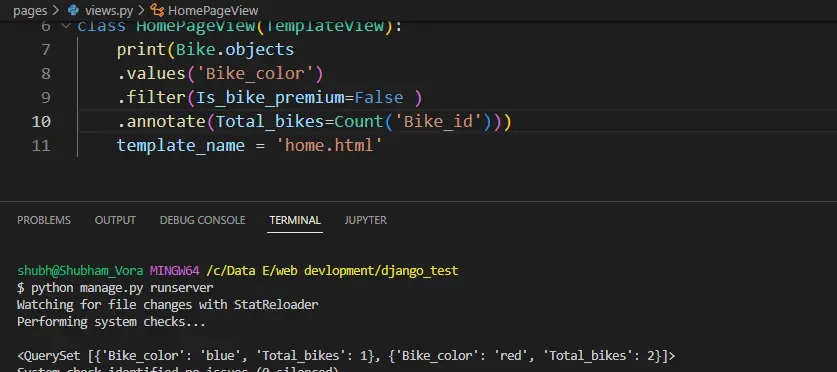
In this section, we will make groups of all records of the Bike table according to its color and filter all non-premium bikes from every group. In simple terms, we will make a group of non-premium bikes according to their color.
We have used the WHERE clause in the below SQL query to filter the bikes.
SELECT
    Bike_color,
    COUNT(Bike_id) AS Total_bikes
FROM
    Bike
WHERE
    Is_bike_premium = False
GROUP BY
    Bike_color
To convert the above SQL query to a Python code, we have used the filter() method of Python and passed the filtering condition as an argument.
from django.db.models import Count

Bike.objects.values("Bike_color").filter(Is_bike_premium=False).annotate(
    Total_bikes=Count("Bike_id")
)
Output:
We have learned to create GROUP BY queries in Django in this article. Also, we have seen the different use cases of the group by queries.
Also, users can use the group by queries with the orderBy() method to sort the records of every group.