Matplotlib 中如何將圖例放置在繪圖之外
Jinku Hu
2023年1月30日
Matplotlib
Matplotlib Legend

圖例可以通過使用 bbox_to_anchor 放置在 Matplotlib 中的繪圖之外。bbox 表示容納圖例的邊界框 - bounding box。
plt.legend(bbox_to_anchor=(1.05, 1))
它將圖例放置在座標軸上的位置 (1.05, 1) 處。(0, 0) 是軸座標的左下角,而 (1.0, 1.0) 是軸座標的右上角。
圖例邊界框的實際大小和位置由 plt.legend 中的 bbox_to_anchor 和 loc 的 4 元組引數定義。
plt.legend(bbox_to_anchor=(x0, y0, width, height), loc=)
width 和 height 是圖例框的寬度和高度,而 (x0, y0) 是邊界框 loc 的座標。
loc 的值可以是具有以下關係的數字或字串,
loc 編號 |
loc 字串 |
|---|---|
| 0 | best |
| 1 | upper right |
| 2 | upper left |
| 3 | lower left |
| 4 | lower right |
| 5 | right |
| 6 | center left |
| 7 | center right |
| 8 | lower center |
| 9 | upper center |
| 10 | center |
plt.legend(bbox_to_anchor=(1.05, 1.0, 0.3, 0.2), loc="upper left")
上面的程式碼意味著圖例框位於座標為 (1.05, 1.0) 的座標軸上,寬度為 0.3,高度為 0.2,其中 (1.05, 1.0) 是上座標圖例邊框的左上角。
bbox_to_anchor 示例
import matplotlib.pyplot as plt
import numpy as np

x = np.linspace(0, 10, 100)

plt.plot(x, np.sin(x), label="sin(x)")
plt.plot(x, np.cos(x), label="cos(x)")

plt.legend(bbox_to_anchor=(1.05, 1.0), loc="upper left")
plt.tight_layout()
plt.show()
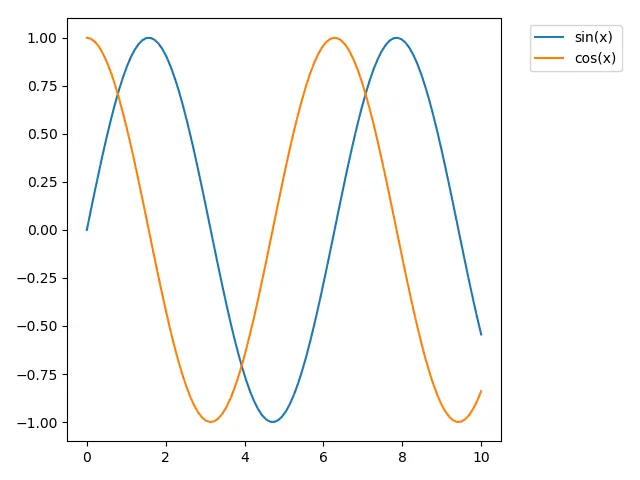
plt.tight_layout() 使子圖合適的跟圖形匹配。
如果未呼叫 tight_layout(),則圖例框將被裁剪。
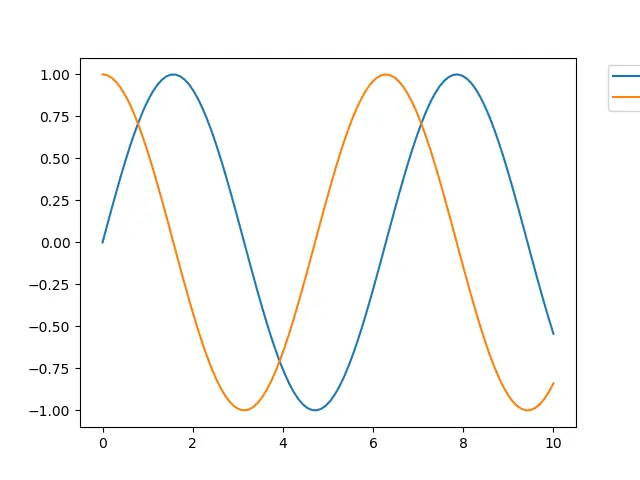
bbox_extra_artists 和 bbox_inches 以防止圖例框被裁剪
import matplotlib.pyplot as plt
import numpy as np

x = np.linspace(0, 10, 100)

plt.plot(x, np.sin(x), label="sin(x)")
plt.plot(x, np.cos(x), label="cos(x)")

lg = plt.legend(bbox_to_anchor=(1.05, 1.0), loc="upper left")

plt.savefig(
    "example.png", dpi=300, format="png", bbox_extra_artists=(lg,), bbox_inches="tight"
)
bbox_extra_artists 指定 Artist 的列表,該列表在計算緊湊 bbox 時會考慮在內。
如果將 bbox_inches 設定為 tight,它將計算出圖中的緊湊型 bbox。
Enjoying our tutorials? Subscribe to DelftStack on YouTube to support us in creating more high-quality video guides. Subscribe
作者: Jinku Hu
