HOWTO · Java
Java 中的檔案選擇器
本教程演示如何在 Java 中選擇檔案。
本頁內容
Java Swing 包提供了在 Java 中選擇檔案的功能。本教程演示如何在 Java 中選擇檔案。
Java 中的檔案選擇器
Java Swing 包中的 JFileChooser 用於在 Java 中選擇檔案。Java™ 基礎類 (JFC) 中的 Java Swing 包含許多用於構建 GUI 的功能。
JFileChooser 是使用者選擇目錄或檔案的一種有效且簡單的方法。下表顯示了一些用於不同選擇的 JFileChooser 建構函式。
| 建構函式 | 描述 |
|---|---|
JFileChooser() |
此建構函式將從預設目錄中選擇檔案。 |
JFileChooser(檔案當前目錄) |
此建構函式將從當前目錄中選擇檔案。 |
JFileChooser(字串 currentDirectoryPath) |
此建構函式將從給定目錄中選擇檔案。 |
讓我們嘗試一個使用 Java 中的 JFileChooser 選擇檔案的示例。
package delftstack;

import java.awt.BorderLayout;
import java.awt.FlowLayout;
import java.awt.LayoutManager;
import java.awt.event.ActionEvent;
import java.awt.event.ActionListener;
import java.io.File;
import javax.swing.JButton;
import javax.swing.JFileChooser;
import javax.swing.JFrame;
import javax.swing.JLabel;
import javax.swing.JPanel;

public class File_Chooser {
  public static void main(String[] args) {
    File_Chooser_Window();
  }

  private static void File_Chooser_Window() {
    JFrame File_Chooser_Frame = new JFrame("File Chooser");
    File_Chooser_Frame.setDefaultCloseOperation(JFrame.EXIT_ON_CLOSE);
    Create_UI(File_Chooser_Frame);
    File_Chooser_Frame.setSize(560, 200);
    File_Chooser_Frame.setLocationRelativeTo(null);
    File_Chooser_Frame.setVisible(true);
  }

  private static void Create_UI(final JFrame File_Chooser_Frame) {
    JPanel File_Chooser_Panel = new JPanel();
    LayoutManager Layout_Manager = new FlowLayout();
    File_Chooser_Panel.setLayout(Layout_Manager);

    JButton Choose_Button = new JButton("Choose File");
    final JLabel J_Label = new JLabel();

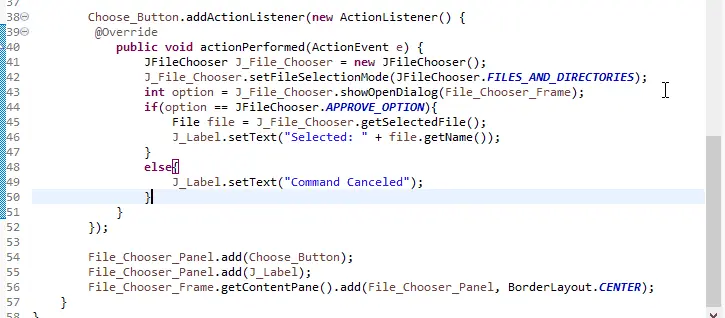
    Choose_Button.addActionListener(new ActionListener() {
      @Override
      public void actionPerformed(ActionEvent e) {
        JFileChooser J_File_Chooser = new JFileChooser();
        J_File_Chooser.setFileSelectionMode(JFileChooser.FILES_AND_DIRECTORIES);
        int option = J_File_Chooser.showOpenDialog(File_Chooser_Frame);
        if (option == JFileChooser.APPROVE_OPTION) {
          File file = J_File_Chooser.getSelectedFile();
          J_Label.setText("Selected: " + file.getName());
        } else {
          J_Label.setText("Command Canceled");
        }
      }
    });

    File_Chooser_Panel.add(Choose_Button);
    File_Chooser_Panel.add(J_Label);
    File_Chooser_Frame.getContentPane().add(File_Chooser_Panel, BorderLayout.CENTER);
  }
}
上面的程式碼將建立一個帶有 Choose File 按鈕的框架。請參閱下面的輸出。