在 Angular 上使用 ngIf Else
当我们作为开发人员构建 Web 应用程序时,我们需要设置 Web 应用程序以动态调整页面; *ngIf 语句变得很方便。 *ngIf 用于操作呈现在页面上的 HTTP 元素。
它在我们告诉网络应用程序在一些参数到位后执行某个功能的条件下工作。而当这些参数没有到位时,它应该执行另一种代替。
我们将只使用*ngIf 来执行一些功能。然后我们将把 *ngIf 与 else 语句结合起来,看看有什么可能。最后,我们将使用 *ngIf else then 组合来操作 HTTP 元素。
在 Angular 中使用*ngIf 作为一个独立的函数
所以在这里,我们将使用*ngIf 语句以及 true 或 false 条件。
我们将在 app.component.html 中完成所有工作。
<h1>*ngIf in Angular</h1>
<h2 *ngIf="true">
  Hi, Youtube
</h2>
当*ngIf 条件设置为真时,网页显示 Hi, Youtube。一旦更改为 false,Hi, Youtube 将从网页中消失。
我们也可以像这样通过 app.component.ts 传递函数:
import { Component } from "@angular/core";

@Component({
  selector: "app-root",
  templateUrl: "./app.component.html",
  styleUrls: ["./app.component.css"]
})
export class AppComponent {
  title = "CodeSandbox";
  displayMe=true;
}
然后我们将*ngIf 值更改为 displayMe,如下所示:
<h1>*ngIf in ANgular</h1>
<h2 *ngIf="displayMe">
  Hi, Youtube
</h2>
就像第一个示例一样,基本规则的工作方式相同。
将 *ngIf 与 else 一起使用
当 *ngIf 条件与 else 语句结合使用时,它可以帮助我们决定在任何时间点我们希望在网页上显示什么内容。
这种方法要求我们在 ng-template 标签内嵌套我们想要出现在 Hi, Youtube 中的另一个语句。
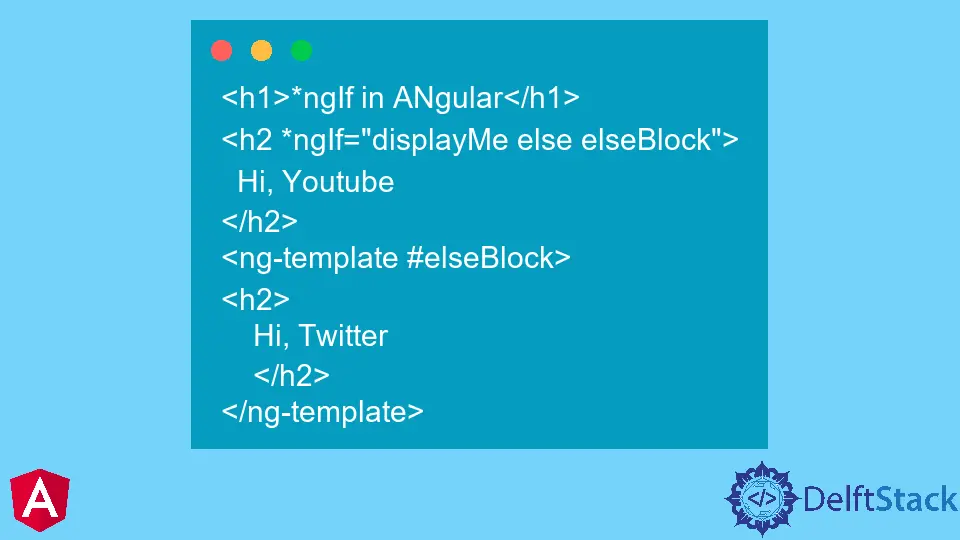
app.component.html 将如下所示:
<h1>*ngIf in ANgular</h1>
<h2 *ngIf="displayMe else elseBlock">
  Hi, Youtube
</h2>
<ng-template #elseBlock>
<h2>
    Hi, Twitter
    </h2>
</ng-template>
你会注意到我们在*ngIf 条件旁边使用了 else 语句,这使我们能够更好地控制网页的内容。
所以在 app.component.ts 中,当 displayMe 为真值时,Hi, Youtube 将显示。如果它是假的,嗨,Twitter 将显示。
在 Angular 中使用 *ngIf 与 else 和 then 语句
在前面的示例中,我们被介绍了 ng-template,它与 else 语句一起使用。当与 *ngIf 和 else 一起使用时,then 语句允许在 ng-template 中操作内容。
对于想要保持结构化且排列良好的代码文件的编码人员来说,这是一个受欢迎的解决方案。
我们的 app.component.html 将被配置为:
<h1>*ngIf in ANgular</h1>
<h2 *ngIf="displayMe; then ifBlock else elseBlock">
  Hi, Youtube
</h2>
<ng-template #ifBlock>
<h2>
    Hi, Google
    </h2>
</ng-template>
<ng-template #elseBlock>
<h2>
    Hi, Twitter
    </h2>
</ng-template>
所以在 app.component.ts 中,当 displayMe 为真值时,会显示 Hi, Google,当它是假值时,会显示 Hi, Twitter。

Fisayo is a tech expert and enthusiast who loves to solve problems, seek new challenges and aim to spread the knowledge of what she has learned across the globe.
LinkedIn