HOWTO · Tkinter
Come legare il tasto Enter Key ad una funzione in Tkinter
Questo tutorial mostra come legare il tasto invio ad una funzione in Tkinter.
In questa pagina
In questo tutorial introduciamo come legare il tasto Enter ad una funzione in Tkinter.
Legare l’evento ad una funzione
La pressione del tasto Enter è un evento, come il click del pulsante, e potremmo legare funzioni o metodi a questo evento per far sì che l’evento inneschi la funzione specificata.
widget.bind(event, handler)
Se si verifica event, attiverà automaticamente il handler.
Legare la pressione del tasto ad una funzione
import tkinter as tk

app = tk.Tk()
app.geometry("200x100")


def callback(event):
    label["text"] = "You pressed Enter"


app.bind("<Return>", callback)

label = tk.Label(app, text="")
label.pack()

app.mainloop()
def callback(event):
    label["text"] = "You pressed Enter"
L’evento è un argomento nascosto passato alla funzione. Solleverà TypeError se non lo si fornisce nell’argomento di input della funzione.
app.bind("<Return>", callback)
Leghiamo la funzione callback all’evento <Return>, o in altre parole, Enter key pressing event.
Bind key press to a una funzione nel metodo Class Esempio
import tkinter as tk


class app(tk.Frame):
    def __init__(self):
        self.root = tk.Tk()
        self.root.geometry("300x200")
        self.label = tk.Label(self.root, text="")
        self.label.pack()
        self.root.bind("<Return>", self.callback)
        self.root.mainloop()

    def callback(self, event):
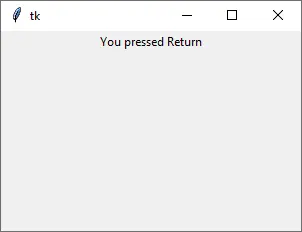
        self.label["text"] = "You pressed {}".format(event.keysym)


app()
Questa implementazione della classe è simile al metodo di cui sopra.
Mettiamo l’attributo keysym dell’oggetto event nell’etichetta mostrata.
keysym è il simbolo della chiave dell’evento della tastiera. L’immissione Enter è Return come abbiamo introdotto sopra.