HOWTO · JavaScript
JavaScript 中的 history.forward() 函数
本文将帮助你了解如何使用 JavaScript 浏览浏览器。
本页内容
本文将向你展示如何使用 JavaScript 浏览浏览器。
在 JavaScript 中使用 history.forward() 函数
历史对象总是可以作为浏览器窗口对象的一部分访问,在 JavaScript 中有一个名为 forward() 的函数。浏览器上的转发按钮与使用 history.forward() 函数相同。
该方法在 HTML 页面中以下列方式调用。
示例代码:
<body>
  <h1>Next Page</h1>
  <a href="b.html">To Next Page</a>

  <script>
    window.history.forward();
  </script>
</body>
如果你的浏览器历史记录不包括下一页,则 history.forward() 函数将无效。
history.forward() 函数通常用于禁用需要更强大安全措施的在线应用程序的后退按钮并移动到浏览器历史记录中的下一页。为此,请在你不希望用户返回的页面上包含 history.forward() 函数。
假设你有两个网页,a.html 和 b.html,你可以从 a.html 访问 b.html。
示例代码:
<!DOCTYPE html>
<html lang="en">
  <head>
    <meta charset="UTF-8" />
    <meta http-equiv="X-UA-Compatible" content="IE=edge" />
    <meta name="viewport" content="width=device-width, initial-scale=1.0" />
    <title>Document</title>
  </head>

  <body>
    <h1>Next Page</h1>
    <a href="b.html">To Next Page</a>

    <script>
      window.history.forward();
    </script>
  </body>
</html>
如果你不希望用户从 b 页面返回到 a 页面,可以将以下脚本添加到 a 页面。
脚本:
<script>window.history.forward();</script>
首先,制作两个网页,如 a.html 和 b.html 并保存这两个文件。确保代码位于主页上以重定向到另一个页面,例如 b.html。
输出:
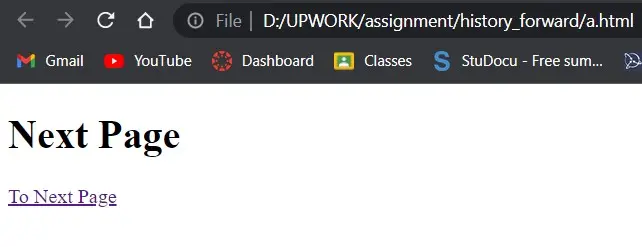
当你单击链接(To Next Page)时,它会将你重定向到下一个 html/页面。
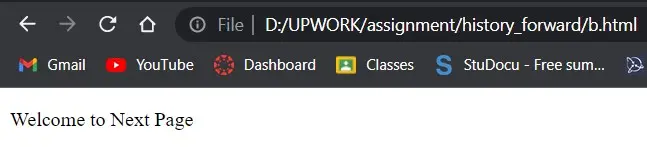
当你从 b 页面返回到 a 页面时,history.forward() 函数会自动调用,因为没有使用 JavaScript 禁用浏览器上的后退按钮的方法。
这种方法已被需要阻止用户离开当前页面并返回的特定程序使用。